Google Flow AI Update 2027: New Features, AI Video Generation, Improvements, and What’s Coming Next!
The Google Flow AI Update 2027 is an exciting topic for AI enthusiasts, content creators, YouTubers, and filmmakers looking to create professional-quality videos with artificial intelligence. Google’s Flow is designed to turn simple text prompts and images into cinematic video scenes, helping users create content without expensive cameras, complex editing software, or professional filmmaking equipment. In this guide, we explore Flow‘s capabilities, important features, potential improvements, advantages, limitations, and what users should expect from the next generation of AI video creation.
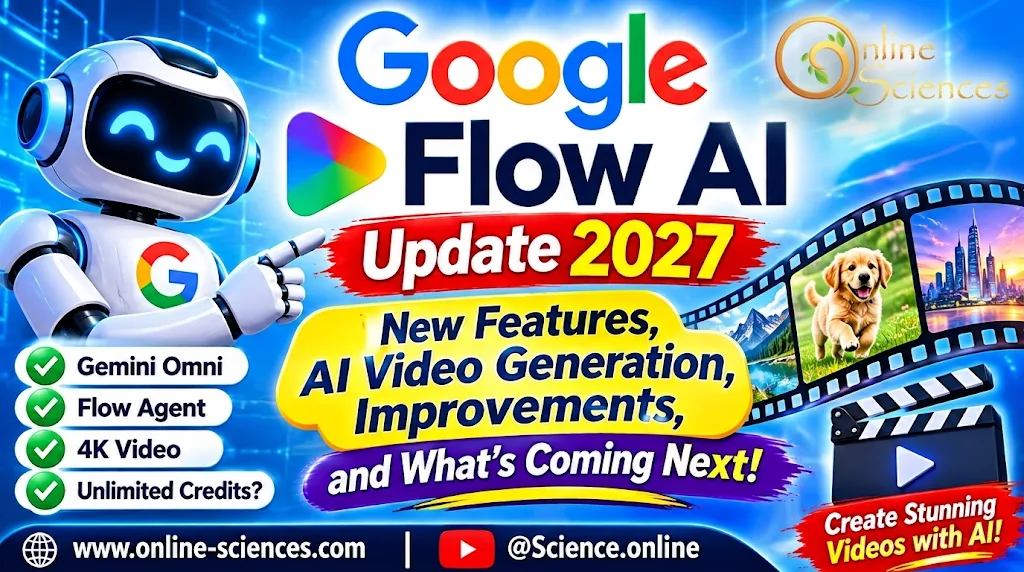
Google Flow AI Update 2027: New Features, AI Video Generation, Improvements, and What’s Coming Next!
What is Google Flow AI?
Google Flow is an AI-powered filmmaking platform developed by Google Labs. It uses advanced generative AI models to help users create cinematic videos, generate images, build scenes, and edit visual content using natural-language instructions.
Instead of relying on traditional video production tools, creators can describe a scene, provide reference images, or upload visual ingredients and let AI transform their ideas into video clips. Flow is particularly useful for YouTubers, filmmakers, digital marketers, educators, and social media creators.
Google Flow AI Video Generator
Google Flow AI Video Generator is a powerful tool that transforms simple text prompts and images into cinematic video clips. Users can describe characters, environments, actions, lighting, and camera movements to generate engaging visual scenes. It is especially useful for YouTubers, filmmakers, marketers, and content creators who want to produce stunning AI videos without expensive cameras or complicated video-editing software.
Google Flow New Features
Google Flow introduces exciting AI-powered features that make video creation easier and more creative. Its capabilities include advanced text-to-video and image-to-video generation, improved character consistency, cinematic camera controls, scene editing, video extension, and higher-resolution exports. These tools help creators produce professional-looking videos, experiment with different visual styles, and develop creative stories with less effort.
Google Flow AI Update 2027: What’s New?
The latest developments available heading into 2027 introduce several important improvements that make Google Flow more powerful and flexible.
1. Gemini Omni AI Integration
One of the most important developments is the integration of Gemini Omni. It helps creators combine real-world inspiration with AI-generated content and refine videos through conversational instructions. It also improves character consistency, helping preserve character identity and voice across different scenes.
2. Google Flow Agent
Google Flow Agent acts as an AI creative partner that can help users plan, brainstorm, create, and edit projects. Its capabilities include:
- Developing creative ideas and storylines.
- Suggesting dialogue and plot improvements.
- Generating multiple creative variations.
- Batch-editing project assets.
- Organizing and renaming generated content.
This makes video production easier, especially for creators working on larger projects.
3. Improved Video Quality: 1080p and 4K
Google has introduced improved video export capabilities, including 1080p and 4K options through supported workflows. Creators can also test ideas using lower-resolution 360p drafts before spending more credits on higher-quality results. These improvements are particularly useful for professional content creators who need polished videos for YouTube, advertising, and digital campaigns.
4. Better Character and Scene Consistency
Maintaining the same character across multiple AI-generated scenes has been a major challenge. Google Flow‘s newer capabilities aim to improve consistency by preserving character appearance and voice. This helps creators develop stories with recurring characters instead of generating completely different appearances in every scene.
5. Text-to-Video and Image-to-Video Generation
Google Flow lets users turn written descriptions into video scenes. For example, you can enter: “Create a cinematic scene of a futuristic robot walking through a beautiful neon city at night, with realistic lighting, smooth camera movement, and detailed reflections.”
AI interprets the prompt and generates a corresponding video. Image-to-video features also help users animate existing images, making it easier to turn illustrations, product photos, and AI-generated pictures into moving scenes.
6. Advanced Video Editing Tools
Google Flow continues to expand its editing capabilities. Depending on the selected model, users can:
- Add or remove objects from videos.
- Extend existing scenes.
- Control camera movements.
- Change visual elements using text prompts.
- Use start and end frames for smoother transitions.
- Refine individual scenes without rebuilding an entire project.
7. Custom AI Tools and Workflows
Google Flow Tools introduces another exciting possibility: creating customized creative tools using natural-language instructions. Users can describe the tool they want, such as an image editor, video resizer, animation effect, or custom visual workflow.
This makes Flow more than a video generator because it can also become a flexible creative workspace. These capabilities are based on Google’s published 2026 announcements and product documentation, rather than a guarantee that every feature is new in 2027.
How to Use Google Flow AI in 2027
Getting started with Google Flow is relatively simple:
- Visit the official website: Google Flow AI.
- Sign in with your Google account.
- Start a new creative project.
- Choose a supported video or image generation model.
- Enter a detailed text prompt or upload reference images.
- Adjust the aspect ratio, duration, and resolution.
- Generate your video and review the results.
- Use the editing tools to improve your scenes.
- Download your finished video when it is ready.
For better results, describe the subject, environment, lighting, camera angle, movement, and visual style in your prompts.
Is Google Flow AI Free in 2027?
Google Flow offers access to selected features without a paid Google AI subscription, but free access does not mean unlimited video generation. The available models, generation limits, video duration, and credit costs depend on the feature, subscription plan, and region.
For example, Google’s documentation describes free access to selected Omni Flash 1.2 video-generation features, while paid Google AI Plus, Pro, and Ultra subscriptions provide additional capabilities, including longer videos and supported upscaling options. Always check the generation settings to see the latest credit costs before creating a video.
Advantages of Google Flow AI
- Easy video creation: Generate cinematic videos using simple text descriptions.
- Creative flexibility: Combine text, images, and video references.
- Better storytelling: Develop scenes with improved character consistency.
- Advanced editing: Modify scenes using natural-language instructions.
- Time-saving: Reduce the effort required for traditional video production.
- Professional possibilities: Create content for marketing, entertainment, and YouTube.
- Custom workflows: Build creative tools without traditional coding.
Disadvantages of Google Flow AI
Despite its impressive capabilities, Google Flow has some limitations:
- Free video generation has usage limits.
- Advanced features may require a paid subscription.
- AI-generated videos may occasionally contain visual errors.
- Maintaining perfect consistency across complex scenes can still be challenging.
- Generation may take time depending on the model and workload.
- Available features and credits can vary by country and subscription.
Google Flow AI Update 2027: What Can We Expect Next?
As AI video generation continues to develop, Google Flow could become an even more powerful filmmaking environment. Potential areas of development include longer cinematic videos, more realistic character movements, better voice synchronization, improved scene transitions, more precise editing, and greater creative control.
However, these are possible future directions rather than confirmed Google announcements. The biggest opportunity is combining AI video generation, intelligent editing, image creation, and creative assistance in one platform.
Frequently Asked Questions (FAQ)
1. What is the latest Google Flow AI update in 2027?
Google Flow‘s latest published improvements heading into 2027 include Gemini Omni integration, Flow Agent, enhanced video editing, improved character consistency, higher-resolution exports, and customizable creative tools.
2. Is Google Flow AI free?
Yes, selected Google Flow features are available without a paid subscription, but free usage has limitations. Paid plans provide additional features and generation capabilities.
3. Can Google Flow create videos from text?
Yes. Google Flow supports text-to-video generation, allowing users to describe scenes and generate AI-powered video clips.
4. Can Google Flow turn images into videos?
Yes. It supports image-based video generation, allowing users to animate images and create moving scenes.
5. Does Google Flow support 4K video?
Google has introduced 4K export capabilities through supported workflows. Availability depends on the selected model, subscription, and feature.
6. Is Google Flow good for YouTube videos?
Yes. It can help YouTubers create cinematic scenes, promotional videos, storytelling content, educational visuals, and short-form videos.
7. What is Google Flow Agent?
Google Flow Agent is an AI-powered creative assistant that helps users brainstorm, plan, generate variations, edit assets, and organize projects.
8. Is Google Flow better than other AI video generators?
Google Flow is a strong option because it combines AI video generation with image creation, editing, and creative workflows. However, the best platform depends on your budget, video style, and required features.
Conclusion
The Google Flow AI Update 2027 represents an exciting direction for AI-powered filmmaking. With Gemini Omni, Flow Agent, advanced editing capabilities, improved character consistency, and customizable tools, Google is making it easier for creators to transform their ideas into cinematic videos.
Whether you are a beginner, YouTuber, filmmaker, or digital marketer, Google Flow is worth exploring if you want to create impressive AI videos with less production effort.
Explore more science and technology articles on Science Online: https://www.online-sciences.com/
Watch more technology videos on Science Online Channel: https://www.youtube.com/@Science.online
🔥 Google Flow AI Update 2027: 🔥 New Features, AI Video Generation, and Improvements 🔥
🔥 Google Flow AI Free Credits: 7 Powerful Ways to Get More AI Videos 🚀🔥
🔥 Google Flow AI Tutorial 2027: 10 Powerful Steps to Create Stunning AI Videos 🚀🔥
🔥 Google Flow Unlimited Free 2027: 7 Powerful Ways to Create AI Videos Without Paying 🚀
🔥 Google Flow Credits 2027: 7 Powerful Ways to Get More Free AI Credits 🚀
🔥 Google Flow AI Video Generator 2027: 15 Powerful Features & Free Credits 🚀
🔥 Google Flow AI Free in 2026: Create Amazing AI Videos Without Paying 🚀
🔥 Google Flow Unlimited Credits FREE 2027: 7 Powerful Ways to Create AI Videos 🚀
🔥 Google Flow Unlimited Credits FREE in 2026: Get 50 Daily Credits & Create Amazing AI Videos!
Google Veo 3 AI Video Generator: How to Create INSANE Videos in Gemini AI Ultra! 🚀
Goodbye Google Assistant? 10 Powerful Reasons Gemini AI Is the Future in 2026
Will Gemini AI Replace Google Assistant? The Ultimate Guide to Google’s Powerful AI Upgrade 2026
Google Assistant Review 2026: Features, Pros, Cons and What It Can Do