Steam Link importance, Is a Steam Link still useful?, Do I need my PC on for a Steam Link?
Steam Link is a game-streaming technology developed by Valve that allows users to play their PC games remotely on other devices. Instead of running the game locally, Steam Link streams the video and audio from a gaming PC to another screen—such as a TV, smartphone, tablet, or another computer—while sending controller or keyboard inputs back to the PC in real time.
What is Steam Link?
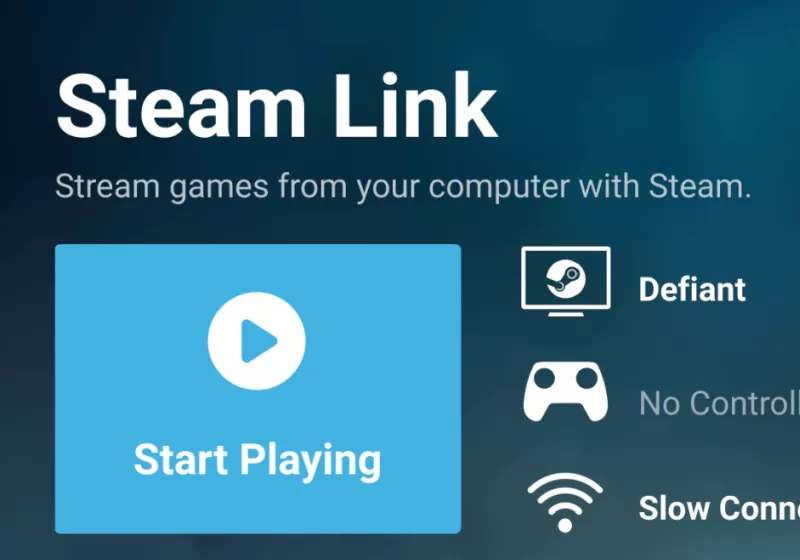
Steam Link is a game-streaming technology developed by Valve that allows you to play your PC games remotely on another device—such as a TV, phone, tablet, or another computer. The game runs on your main PC, while video/audio are streamed to the other device, and your controller or keyboard inputs are sent back in real time. Today, Steam Link is mainly used as a free app (the old hardware box was discontinued).
Steam Link lets you enjoy your Steam library anywhere in your home (or even remotely) without needing to install games on each device. Steam Link remains highly relevant in 2025 for gamers seeking flexible, cost-free streaming from their own PC. If you have a solid network, it’s one of the easiest ways to play PC games anywhere at home—and even remotely.
Do I Need My PC On for a Steam Link?
Yes. Your PC must be powered on (not shut down), logged into Steam, and connected to the network. Because Steam Link mirrors your PC’s gameplay, it can’t work if the PC is off. (Sleep/hibernate usually won’t work unless specially configured to wake remotely.)
Steam Link
Is a Steam Link still useful?
Yes, very useful, depending on your setup:
When Steam Link Is a Great Choice:
- You already have a gaming PC.
- You want to play on a TV or mobile device without moving your PC.
- You prefer local or home streaming with no subscription.
- You enjoy couch gaming with a controller.
When It May Not Be Ideal:
- Your network is slow or unstable.
- You want to play competitive, fast-reaction games over weak Wi-Fi.
- You don’t want to keep your PC running.
Steam Link Today
- Free app (Android, iOS, Android TV, Apple TV, some Smart TVs).
- Steam Link supports Xbox, PlayStation, Steam Controller, keyboard & mouse.
- Steam Link works over a local network or the internet (Remote Play).
- Steam Link uses your PC hardware, not cloud servers.
How Steam Link Works
Steam Link works by:
- Running the game on your main gaming PC.
- Compressing the video and audio output.
- Streaming the content over a local network or the internet.
- Sending your control inputs back to the PC with minimal latency.
A strong and stable network connection (preferably wired Ethernet or fast Wi-Fi) is key to smooth performance.
Steam Link Devices and Platforms
Steam Link is available in several forms:
1. Steam Link App: The most common option today:
- Android phones & tablets.
- iOS (iPhone & iPad).
- Android TV.
- Apple TV.
- Smart TVs (Samsung, some LG models).
2. Steam Link Hardware (Discontinued): Valve previously sold a dedicated Steam Link box that connected directly to TVs. While discontinued, it still works if you already own one.
Features of Steam Link
- Stream PC games up to 4K resolution (network dependent).
- Supports Steam Controller, Xbox, PlayStation, and generic controllers.
- Customizable streaming quality and performance settings.
- Touch controls for mobile devices.
- Voice chat support.
- Works over the local network or the internet (Remote Play).
Steam Link Requirements
To use Steam Link effectively, you need:
- A PC with Steam installed.
- A stable internet or local network connection.
- A compatible client device (phone, TV, tablet, or another PC).
- A controller, keyboard, or mouse.
Recommended network:
- Ethernet or 5 GHz Wi-Fi.
- At least 15–30 Mbps for HD streaming.
Advantages of Steam Link
- Play PC games on your TV without moving your PC.
- No need to install games on multiple devices.
- Free app (no subscription required).
- Steam Link works with most Steam games.
- Steam Link is ideal for couch gaming.
Disadvantages of Steam Link
- Performance depends heavily on network quality.
- Input lag is possible on slow connections.
- Steam Link is not ideal for fast, competitive games over weak Wi-Fi.
- Steam Link requires the main PC to stay powered on.
Steam Link vs Cloud Gaming
Unlike cloud gaming services (such as GeForce NOW or Xbox Cloud Gaming), Steam Link:
- Steam Link uses your own PC hardware.
- Steam Link does not require paid subscriptions.
- Steam Link offers full access to your personal Steam library.
However, cloud gaming may perform better on slow local networks since processing happens on remote servers.
Is Steam Link Worth Using?
Yes, Steam Link is an excellent solution if you already have a capable gaming PC and want flexible, cost-free game streaming across multiple devices. It’s especially useful for home entertainment setups and casual gaming sessions.
Why is the Steam Link discontinued?
- Steam Link Hardware Was Discontinued (2018): Valve stopped making the physical Steam Link streaming box in November 2018. They sold off the remaining stock and then let it go out of production.
- Main Reason: The Software App Replaced the Hardware: Valve shifted to a software-based version of Steam Link instead of selling a separate device. That app can be installed on phones, tablets, TVs, and other streaming platforms. The software did essentially everything the hardware did — but on devices people already owned, so the dedicated box was no longer necessary.
- Hardware Didn’t Catch On: The Steam Link box was a niche product — most gamers didn’t feel it was worth buying, especially once cheaper and more versatile app alternatives existed.
- Better Flexibility With Software: A software app can be updated continually, support higher resolutions, and run on a wide range of devices — things a fixed-hardware box can’t do as easily.
- Some Platform Support Has Ended: Even the Steam Link app has been discontinued on certain platforms, like Samsung smart TVs — usually because the manufacturer stopped supporting it in favor of other gaming hubs.
Valve discontinued the Steam Link hardware because streaming via an app on existing devices was a more practical, scalable, and cost-effective approach. The software essentially replaced the need for a separate box.
You can subscribe to Science Online on YouTube from this link: Science Online
Sunshine: A Complete Overview of the Open-Source Game Streaming Host, Sunshine vs Moonlight
Moonlight Game Streaming: Play Your PC Games Remotely
TeamViewer uses, advantages and disadvantages
AnyDesk features, advantages, disadvantages, Is AnyDesk safe to use?
RustDesk features, advantages, disadvantages and Is RustDesk right for me?