RoboForm Password Manager advantages and disadvantages, Can RoboForm be trusted?
RoboForm is a password manager and form-filling tool developed by Siber Systems. It helps users securely store and manage passwords, log in to websites automatically, and fill out online forms with a single click. It saves time by auto-filling logins and forms. It helps create and store strong, unique passwords.
What is RoboForm?
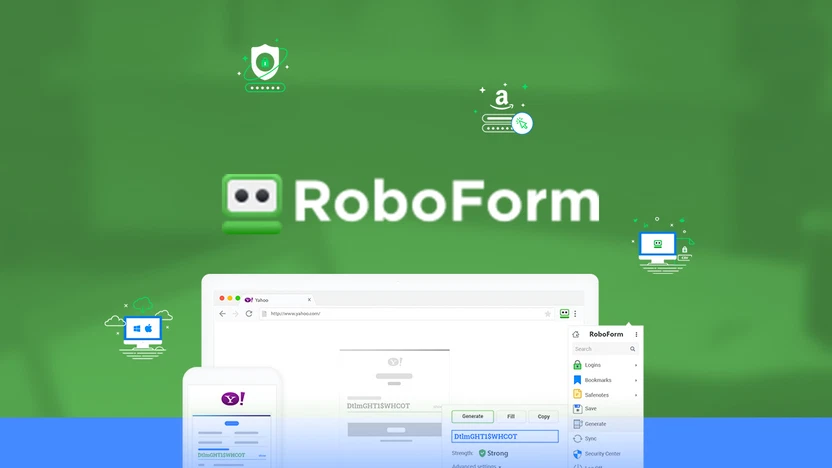
RoboForm is a password manager and form filler developed by Siber Systems. It securely stores your usernames, passwords, and other personal information to help you log in to websites and fill out forms automatically. It syncs data across multiple devices. It offers emergency access and password sharing features. It lets trusted contacts access your account in emergencies. It analyzes password strength and identifies weak or reused passwords.
What RoboForm Can Do:
- Password Management: RoboForm saves and encrypts your passwords securely. It offers auto-login to websites and apps. It generates strong, complex passwords.
- Form Filling: RoboForm fills in personal information like name, email, credit card, and address. It speeds up registration and checkout processes.
- Cross-Platform Support: RoboForm works on Windows, macOS, Android, and iOS. Web browsers (Chrome, Firefox, Safari, Edge, Opera), and RoboForm syncs your data across all your devices.
- Security: RoboForm uses AES-256-bit encryption. It requires a master password that only you know. It supports two-factor authentication (2FA).
- Other Features: Emergency Access: Grant trusted people access to your data if needed. Secure Sharing: Share credentials safely with others. Password Audit: RoboForm identifies weak or reused passwords. Offline Access: RoboForm can use stored data without the internet.
RoboForm
RoboForm features
- Password Manager: RoboForm saves and stores unlimited passwords securely. It works with websites and desktop apps. It automatically fills in login details for websites. It generates strong, random passwords. It offers one-click auto-login for websites and a searchable password list for quick access.
- Password Generator: RoboForm creates strong, unique passwords. It is customizable (length, characters, symbols, etc.).
- RoboForm stores personal data (name, address, phone numbers, credit card info, and passport/ID details). It automatically fills in online forms.
- Multi-Platform & Cross-Device Sync: RoboForm works on Windows, macOS, Android, and iOS. Browsers like Chrome, Firefox, Edge, Opera, and Safari. RoboForm syncs data across all your devices via cloud storage.
- Strong Security: RoboForm uses strong encryption (AES-256) to protect your data. It includes a Master Password for account access. AES-256 encryption: Master Password for account access (not even RoboForm knows it), and Optional two-factor authentication (2FA) via apps like Google Authenticator. RoboForm adds an extra layer of security when accessing your account.
- Password Sharing: RoboForm securely shares passwords or login credentials with other RoboForm users.
- Security Center: Password health checkup. RoboForm identifies weak, reused, or compromised passwords.
- Secure Notes: RoboForm can store confidential information like: Wi-Fi passwords, Software license keys, and Bank account details
- Emergency Access: RoboForm allows you to designate trusted contacts who can access your account in the event of an emergency.
- Offline Access: RoboForm allows you to access and use stored data even without an internet connection (especially on desktop apps).
- Bookmarks & Identities: RoboForm can save bookmarks for fast navigation. It can create multiple identities (e.g., work, personal) for faster form filling.
Advantages of RoboForm
- Strong Password Management: RoboForm stores unlimited logins securely. Auto-login and auto-fill make logging in fast and easy.
- Cross-Platform Support: RoboForm works on Windows, macOS, iOS, Android, and most browsers (Chrome, Firefox, Edge, etc.).
- Secure Encryption: RoboForm uses AES-256 bit encryption, one of the strongest in the industry.
- Password Generator: RoboForm creates strong, complex passwords to improve online security.
- Form Filling: RoboForm saves personal details (name, address, credit card, etc.) and fills in web forms instantly.
- Offline Access: RoboForm can be used without an internet connection (especially on desktop).
- Emergency Access: RoboForm lets you give trusted individuals access to your account in emergencies.
- Affordable Pricing: Lower price compared to many competitors, especially for family or business plans.
- Password Audit & Security Center: RoboForm helps you identify weak, reused, or compromised passwords.
Disadvantages of RoboForm
- Outdated Interface: The UI feels a bit old-fashioned compared to competitors like 1Password or Bitwarden.
- Limited Free Plan: Free version lacks multi-device sync (only works on a single device).
- Master Password Recovery: No way to recover your data if you forget your master password (a security measure, but risky).
- Form Filling Isn’t Always Perfect: Auto-fill may not work correctly on all websites or complex forms.
- Learning Curve: New users may find the many features and options overwhelming at first.
- No Biometric Login on Desktop: Lacks native Windows Hello or Mac Touch ID support (available on mobile only).
- Full features require a paid subscription (though a free version exists).
You can subscribe to Science Online on YouTube from this link: Science Online
TeamViewer uses, advantages, and disadvantages
Proxy Server Advantages and Disadvantages
Software firewalls and hardware firewalls advantages and disadvantages
What are the advantages and disadvantages of using the Internet?