Adobe InDesign: The Ultimate Guide to Features, Benefits, Tools, and Professional Publishing (2026)
Adobe InDesign is the world’s leading desktop publishing (DTP) software for creating professional-quality books, magazines, brochures, newspapers, eBooks, catalogs, flyers, posters, business reports, and interactive PDFs. Developed by Adobe, InDesign provides powerful layout, typography, and publishing tools that help designers, marketers, publishers, educators, and businesses produce visually stunning print and digital content. With continuous AI-powered improvements and seamless integration with Adobe Creative Cloud, Adobe InDesign remains one of the best publishing applications available in 2026.
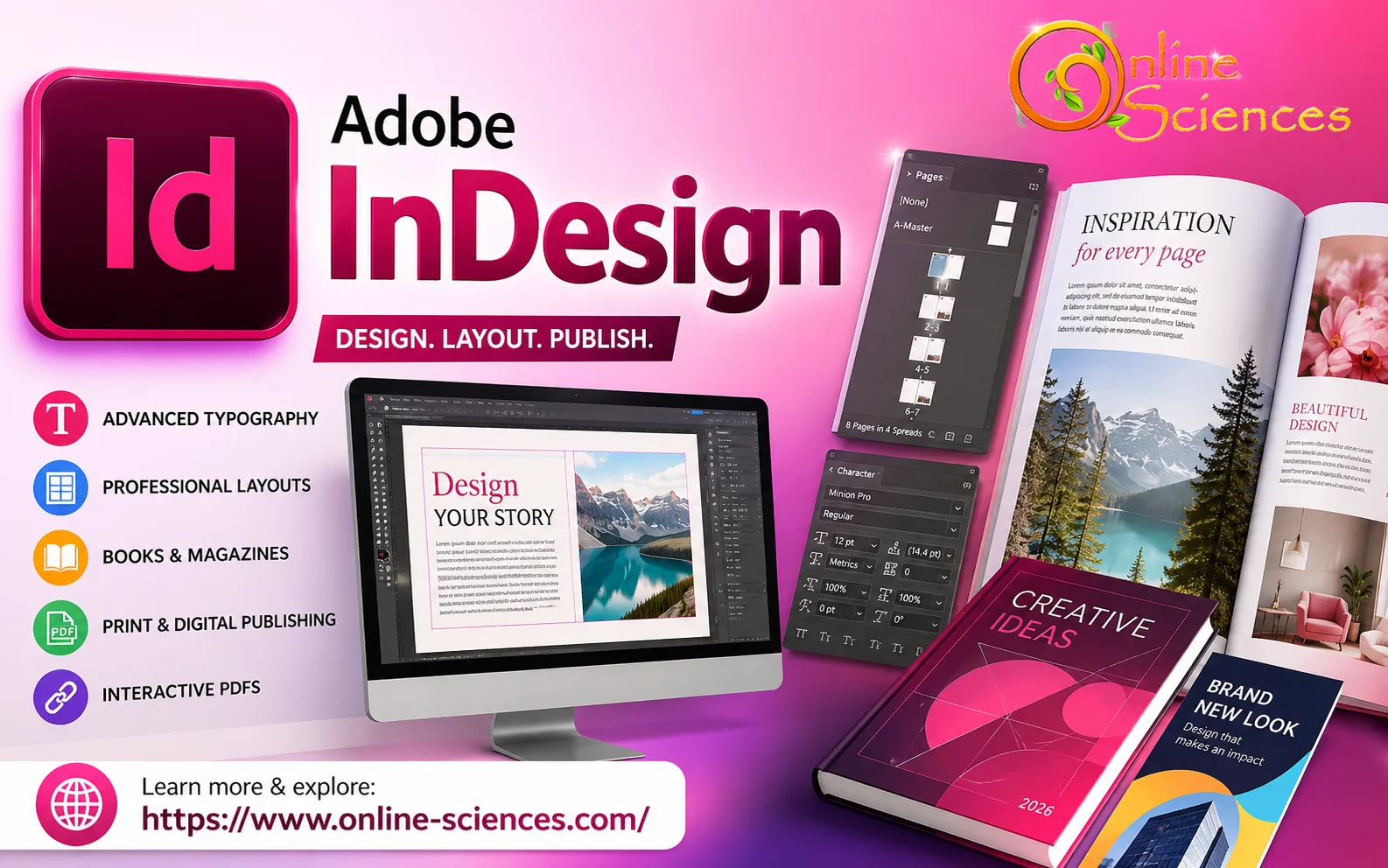
Adobe InDesign
What is Adobe InDesign?
Adobe InDesign is a professional page layout application that enables users to design documents ranging from single-page flyers to thousands of pages in books.
Unlike traditional word processors, InDesign focuses on:
- Professional typography.
- Advanced page layouts.
- Precision alignment.
- Interactive digital publishing.
- Print-ready document creation.
It has become the industry standard for publishing houses, newspapers, marketing agencies, universities, and graphic designers worldwide.
Features of Adobe InDesign
Professional Page Layout
Create complex layouts using:
- Multiple columns.
- Master pages.
- Grids.
- Guides.
- Smart alignment.
- Flexible page sizes.
Advanced Typography
Typography tools include:
- OpenType fonts.
- Character styles.
- Paragraph styles.
- Optical margin alignment.
- Drop caps.
- Text wrapping.
- Hyphenation controls.
- Variable fonts.
Master Pages
Master Pages allow designers to automatically apply:
- Headers.
- Footers.
- Page numbers.
- Logos.
- Backgrounds.
- Common elements.
This dramatically reduces repetitive work.
AI-Powered Features
Adobe continuously adds AI capabilities that improve productivity.
Examples include:
- Intelligent text formatting.
- Background removal integration.
- AI image enhancement.
- Automatic layout suggestions.
- Generative image workflows via Adobe Firefly.
- Faster content editing.
Interactive Documents
Create:
- Interactive PDFs.
- Digital brochures.
- Online presentations.
- Clickable catalogs.
- Hyperlinked documents.
Book Publishing
Adobe InDesign excels at producing:
- Novels.
- Academic books.
- Research papers.
- Manuals.
- Technical documentation.
- Children’s books.
Magazine Design
Professional magazine creators use InDesign for:
- Editorial layouts.
- Multi-column articles.
- Image galleries.
- Advertisements.
- Cover pages.
Packaging Long Documents
Manage hundreds or thousands of pages while maintaining:
- Consistent styles.
- Automatic numbering.
- Cross references.
- Table of contents.
- Index generation.
Tables
Create a professional:
- Financial reports.
- Scientific data.
- Business documents.
- Educational materials.
Data Merge
Automatically generate:
- Certificates.
- ID cards.
- Name badges.
- Personalized invitations.
- Mailing documents.
Adobe InDesign Interface
The workspace includes:
- Tools panel.
- Pages panel.
- Layers panel.
- Properties panel.
- Swatches.
- Character panel.
- Paragraph panel.
- Links panel.
- Preflight panel.
Everything can be customized to match your workflow.
Adobe InDesign Uses
Professionals use Adobe InDesign for:
- Books.
- Magazines.
- Newspapers.
- Brochures.
- Flyers.
- Business cards.
- Posters.
- Catalogs.
- Reports.
- eBooks.
- Annual reports.
- Product manuals.
- Restaurant menus.
- Company profiles.
- Marketing materials.
Adobe InDesign for Digital Publishing
Adobe InDesign supports digital publishing formats, including:
- PDF.
- EPUB.
- Interactive PDF.
- HTML publishing.
- Digital magazines.
These outputs work across desktops, tablets, and smartphones.
Adobe InDesign and Creative Cloud
Adobe InDesign integrates seamlessly with:
This integration enables a smooth workflow from image editing to final publication.
Benefits of Adobe InDesign
Major advantages include:
- Professional-quality publishing.
- Industry-standard software.
- Excellent typography.
- Powerful automation.
- Large template library.
- Cloud collaboration.
- AI-assisted workflows.
- Supports print and digital publishing.
- Excellent export options.
- Reliable performance.
- Regular feature updates.
- Cross-platform support.
Adobe InDesign Advantages
- Easy document organization.
- Professional print output.
- Excellent color management.
- Automatic page numbering.
- Large community support.
- Compatible with commercial printers.
- Supports thousands of pages.
- Extensive customization.
Adobe InDesign Disadvantages
- Subscription-based pricing.
- Learning curve for beginners.
- Resource-intensive for large projects.
- Some advanced features require experience.
- Best performance requires a modern computer.
Adobe InDesign Performance
Adobe InDesign performs exceptionally well on modern Windows and macOS systems.
Performance improvements include:
- Faster document opening.
- Better GPU acceleration.
- Improved rendering.
- Enhanced stability.
- Faster font loading.
- Better handling of large projects.
Who Should Use Adobe InDesign?
Adobe InDesign is ideal for:
- Graphic designers.
- Publishers.
- Authors.
- Marketing agencies.
- Universities.
- Businesses.
- Students.
- Editors.
- Print shops.
- Content creators.
- Magazine publishers.
- Corporate communication teams.
Adobe InDesign vs Microsoft Publisher
Adobe InDesign is significantly more powerful than Microsoft Publisher for professional publishing. It offers superior typography, advanced page layouts, automation, color management, and support for large, complex documents. Microsoft Publisher is easier for beginners but lacks the advanced publishing capabilities required by professional designers and printing companies.
Adobe InDesign vs Canva
Canva is designed for quick online graphic creation with drag-and-drop simplicity, making it ideal for beginners and social media content. Adobe InDesign, on the other hand, is built for precision layout design, long documents, professional print production, and advanced publishing workflows. Designers who need complete creative control generally prefer InDesign.
Adobe InDesign vs Adobe Illustrator
Adobe Illustrator specializes in creating vector graphics, logos, icons, and illustrations, while Adobe InDesign focuses on arranging text, images, and graphics into polished multi-page layouts. Many professionals use Illustrator to create artwork and then place those graphics into InDesign for final page design and publication.
Tips for Beginners
- Learn keyboard shortcuts.
- Use paragraph and character styles.
- Work with master pages.
- Organize content using layers.
- Save reusable templates.
- Use linked images instead of embedding.
- Enable preflight checks before exporting.
- Export print-ready PDFs using the appropriate settings.
The Future of Adobe InDesign
Adobe continues to expand InDesign with AI-assisted design tools, cloud collaboration, faster performance, improved accessibility features, enhanced automation, and tighter integration with the Adobe Creative Cloud ecosystem. These innovations make InDesign an increasingly efficient platform for modern publishing and content creation.
Frequently Asked Questions about Adobe InDesign
1. What is Adobe InDesign used for?
Adobe InDesign is used to create books, magazines, brochures, flyers, catalogs, reports, newspapers, eBooks, and professional print or digital publications.
2. Is Adobe InDesign suitable for beginners?
Yes. While it has a learning curve, beginners can start with templates and tutorials before exploring advanced publishing features.
3. Can Adobe InDesign create PDFs?
Yes. It can export high-quality print-ready PDFs as well as interactive PDFs with hyperlinks, buttons, and multimedia elements.
4. Does Adobe InDesign support eBooks?
Yes. It supports EPUB and other digital publishing formats, making it suitable for creating eBooks that can be read on various devices.
5. Is Adobe InDesign available on Windows and Mac?
Yes. Adobe InDesign is compatible with both Windows and macOS.
6. Can Adobe InDesign work offline?
Yes. Once installed and activated, many features can be used offline, though some cloud-based services require an internet connection.
7. What industries use Adobe InDesign?
Publishing, education, marketing, advertising, printing, corporate communications, government, media, and design agencies all rely on Adobe InDesign.
8. Is Adobe InDesign worth it in 2026?
Yes. It remains the leading desktop publishing solution for professionals who require advanced layout design, typography, and reliable capabilities for print and digital publishing.
Graphics tablet features, advantages, and disadvantages
Visual Communication features, advantages, and disadvantages