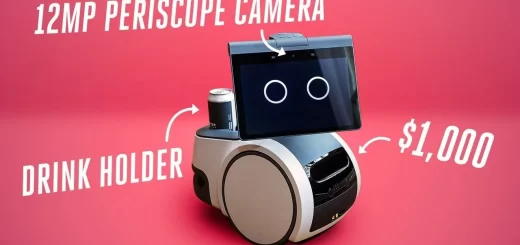
Tomy Omnibot Hello VS. WowWee Omnibot Reboot
The Omnibot is a programmable toy robot created by Tomy in the 1980s. It was designed as a multifunctional home companion robot that could be remote-controlled, programmed to follow movement sequences, play back recorded audio through a cassette deck, and carry small objects on a tray.
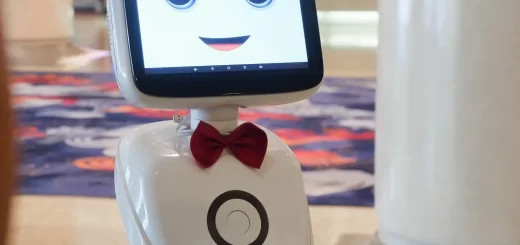
Omnibot Hello
Omnibot was a programmable toy robot. It could move, talk (via tapes), carry things, and follow recorded routines—a mix of entertainment and early home robotics. The Omnibot (created by Tomy in the 1980s) was one of the first mass-market programmable home robots. While simple by today’s standards, it had a mix of fun and practical functions.
Although simple compared to modern robots, the Omnibot became one of the most iconic consumer robots of its time, blending entertainment, basic robotics, and educational play. Today, it is considered a vintage collectible and a milestone in the history of home robotics.
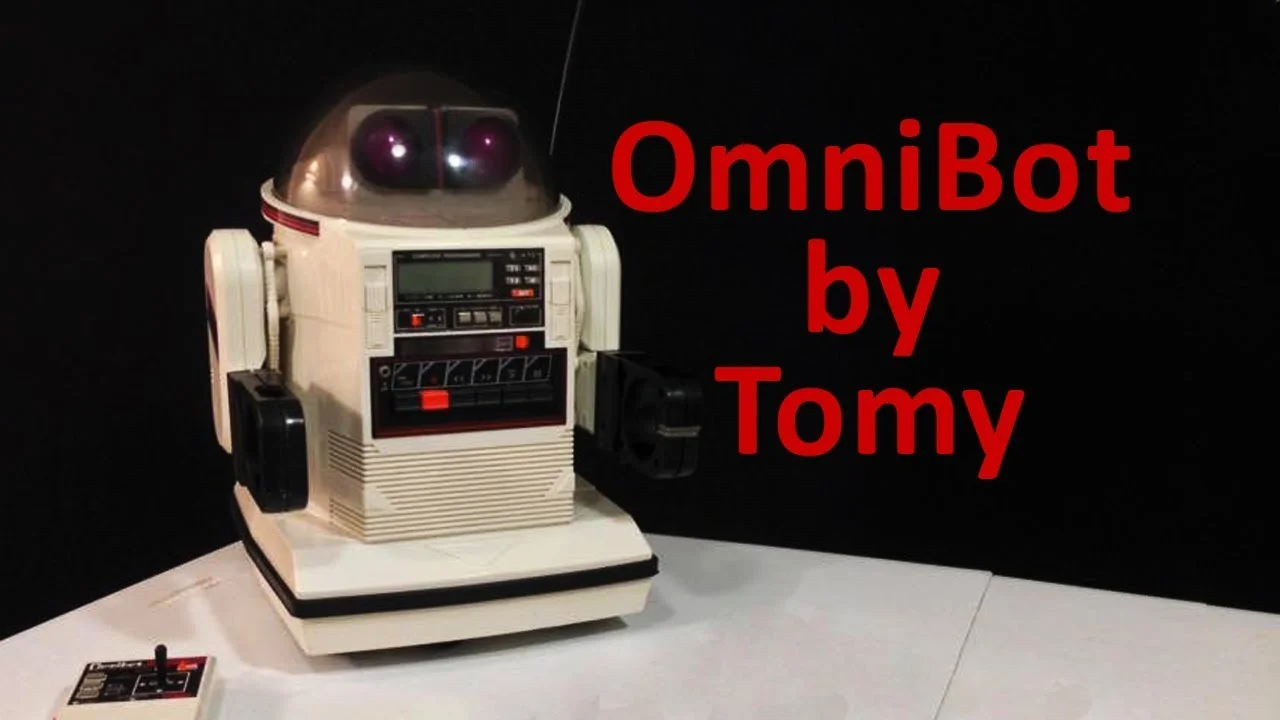
Omnibot robot
What can Omnibot do?
- Remote Control Movement: Omnibot could be driven forward, backward, left, and right using its remote control.
- Programmable Actions: Omnibot lets users record sequences of movements and play them back later. It could “perform” routines like driving to a spot, playing a message, then returning.
- Voice & Audio Playback: Omnibot is built with a cassette deck allows it to “talk,” play music, or deliver pre-recorded messages.
- Carry Objects: Omnibot came with a tray to transport small items like snacks, drinks, or toys.
- Timed Functions: Users could program it to perform actions at certain times, almost like a robotic alarm clock or message reminder.
- Entertainment Value: Omnibot served as a fun companion robot that combined novelty with a bit of robotics education.
- Basic Interaction: Omnibot could give the impression of “talking” by playing recorded speech while moving, making it feel more lifelike.
Omnibot Hello features
Omnibot Hello is one of the modern interactive toy robots inspired by the classic Omnibot line originally made by Tomy in the 1980s. Depending on the version (there are several Omnibot toys and educational robots), the Omnibot Hello generally has these features:
- Voice Interaction – Omnibot Hello can greet users, respond to basic commands, and hold simple conversations.
- App Connectivity – Omnibot Hello works with a smartphone/tablet app for remote control and programming.
- Programmable Actions – Omnibot Hello allows children to record and play back sequences of movements and phrases.
- Entertainment Functions – Omnibot Hello plays music, sounds, and jokes to keep interaction fun.
- Remote Control – Omnibot Hello can be driven around manually through the app.
- Learning & Educational Mode – Omnibot Hello encourages kids to learn basic coding, sequencing, and problem-solving.
- Gesture & Touch Sensors – Omnibot Hello responds to touch or movement cues.
- LED Lights – Facial expressions or eye lights change to show emotions.
- Compact Size – Lightweight and portable for children to play with easily.
- Rechargeable Battery – Omnibot Hello runs on USB charging, making it easy to recharge.
Omnibot Hello advantages
- Interactive Play – Omnibot could move, talk (via built-in cassette player), and perform simple programmed actions, making it fun and engaging.
- Programmable – Omnibot allowed kids (and adults) to record and replay sequences of movement and speech, encouraging creativity.
- Educational Value – Omnibot introduced children to basic robotics concepts, sequencing, and remote control.
- Remote Control – Omnibot came with a controller that allowed real-time navigation.
- Unique Features for Its Era – The Tray system allowed it to carry drinks or small objects, which was impressive at the time.
- Collectible Value – Vintage Omnibots are now sought-after collectibles among retro toy and robot enthusiasts.
- Durability – Omnibot is built with solid plastic and electronics that have lasted for decades if maintained well.
Disadvantages of Omnibot
- Limited Intelligence – Omnibot could not make autonomous decisions; all actions had to be pre-recorded or remotely controlled.
- Bulky Design – Large size made it less practical for small spaces.
- Cassette System Limitations – Speech and sound relied on cassette tapes, which are outdated and prone to wear.
- Limited Programming Capability – Sequences were basic compared to modern programmable robots.
- Short Battery Life – Omnibot required frequent recharging or battery changes.
- High Cost (Then & Now) – Omnibot was expensive in the 1980s, and original units are still pricey as collectibles.
- Obsolete Technology – Omnibot compared to modern robots with AI, sensors, and connectivity, Omnibot is mostly nostalgic rather than practical today.
Omnibot reboot
The Omnibot reboot came from WowWee (the same company that made Robosapien) in the mid-2000s. It revived the classic 1980s Tomy Omnibot name, but the rebooted versions were designed as modern programmable toy robots with updated electronics, sensors, and app controls.
Omnibot Reboot (WowWee) Overview
- Year of release: Around 2014–2015.
- Main products: Omnibot, Omnibot OhnO 2.0, Omnibot Hello! Zoomer-style toys.
- Target audience: Kids and teens, focusing on fun and interactive play.
Features of the Omnibot Reboot
- App-Controlled – Omnibot reboot is controlled via smartphone/tablet apps (instead of remotes and cassettes).
- Programmable Routines – Kids could drag-and-drop commands in the app to create movement and behavior sequences.
- Voice & Sound Effects – Omnibot reboot could play pre-set sounds, voices, and music through a built-in speaker.
- Sensors for Interaction – Some models had infrared or touch sensors to avoid obstacles or respond to touch.
- Companion Functions – Omnibot reboot is designed to act like a playful buddy, similar to modern “pet robots.”
- Smaller & Kid-Friendly – Unlike the big Tomy robot, these were more compact, colorful, and toy-like.
Difference from the 1980s Omnibot
Tomy Omnibot (1980s): Large, cassette-based, carried trays, programmable via tapes. WowWee Omnibot (2010s): Smaller, app-driven, more interactive but less practical (no carrying trays, mainly play). So, the Omnibot reboot kept the fun, programmable toy robot concept alive but updated it with apps, sensors, and modern play features, shifting away from the original “home helper” idea.
You can follow Science Online on YouTube from this link: Science online
WowWee MiP robot pros and cons, What does the MiP robot do?, How to control a MiP?
Top trends on the Cozmo robot, Cozmo in the workplace, education, and as a companion
Vector robot review, advantages, disadvantages, and specifications
Emo robot review, advantages, disadvantages, features, and what can Emo do?
Ameca robot review, features, advantages, disadvantages, and what can Ameca Do?
Eilik Desktop Companion Robot structure, features, use, advantages and disadvantages
Sophia robot review, features, use, advantages and disadvantages
Tesla robots (Optimus) review, use, advantages and disadvantages
MarsCat features, advantages, disadvantages, What can MetaCat do?