Google Flow AI Text to Video 2027: Create Stunning Cinematic Videos from Simple Text Prompts!
Imagine transforming a simple written description into a realistic cinematic video within minutes! Google Flow AI Text to Video makes this possible by combining Google’s advanced generative AI models with powerful filmmaking and creative tools. Whether you want to create realistic scenes, futuristic robots, animated characters, product advertisements, or professional YouTube videos, Google Flow provides an exciting way to turn your imagination into moving images without traditional filming equipment or advanced editing skills.
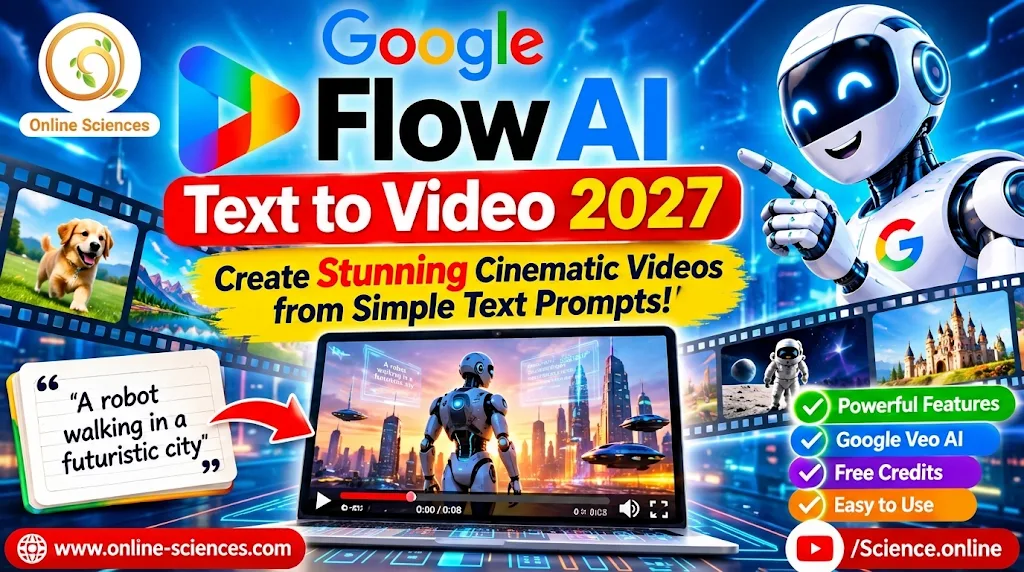
Google Flow AI Text-to-Video generator creating cinematic videos from text prompts using Google Veo AI.
Google Flow AI Free
Google Flow AI Free allows users to explore AI-powered video creation without immediately purchasing a paid subscription. Users can access available free generation credits to experiment with text-to-video generation, image-to-video animation, and cinematic video creation using Google’s advanced AI models. The free option is useful for beginners, YouTube creators, and AI enthusiasts who want to test Google Flow, create impressive video clips, and explore its creative features.
However, free access comes with generation limits, and users who need more credits and greater video-generation capabilities may consider upgrading to a paid Google AI plan. Check the official Google Flow website for the latest free credits, availability, and subscription options.
What is Google Flow AI Text to Video?
Google Flow is an AI-powered creative filmmaking platform developed by Google. It allows users to generate video clips from written descriptions, animate images, combine visual references, and refine creative scenes using artificial intelligence.
Its video-generation capabilities are powered by Google’s generative models, including Veo and Gemini Omni. These technologies help transform natural-language instructions into visual scenes with realistic movements, camera effects, lighting, and environmental details.
The most exciting feature is Text-to-Video AI Generation. Instead of recording a video with a camera, users simply describe what they want to see. Google Flow interprets the prompt and generates a video that represents the requested scene.
For example, you can enter a prompt describing a humanoid robot walking through a futuristic city at sunset, with cinematic lighting and a moving camera. The AI can transform this description into a short video clip. This technology is useful for content creators, filmmakers, educators, marketers, designers, and YouTubers who want to produce engaging visual content more efficiently.
Google Flow AI Video Generator
Google Flow AI Video Generator is a powerful AI-powered filmmaking tool that transforms simple text descriptions and images into stunning cinematic videos. Powered by Google’s advanced Veo models, it allows users to create realistic scenes, animate characters, generate futuristic environments, and produce professional-looking video clips. Whether you are a YouTube creator, filmmaker, educator, or digital marketer, Google Flow makes it easier to turn creative ideas into engaging visual content without traditional filming equipment.
Google Flow Prompts
Google Flow Prompts are written instructions that guide the AI in creating high-quality videos. Users can describe characters, objects, movements, environments, lighting, camera angles, and visual effects to achieve their desired results. For example, you can write a prompt describing a humanoid robot walking through a futuristic city with cinematic lighting and realistic movements. The more specific and detailed your prompt is, the better you can guide the video-generation process and create visually impressive AI videos.
7 Powerful Features of Google Flow AI Text to Video
1. Transform Text Prompts into Videos
The main attraction of Google Flow is its ability to generate videos directly from text prompts. You can describe the subject, environment, movements, camera angles, lighting, and visual style. The AI then creates a video based on your instructions.
For example, a science creator can request a realistic animation showing a robotic assistant helping a doctor in a futuristic hospital. This feature makes video production more accessible, even for beginners who do not have professional filmmaking experience.
2. Create Cinematic Videos with Google Veo
Google Flow integrates advanced video-generation models, including Veo 3.1, to support cinematic video creation. Depending on the selected model and available features, users can generate clips with realistic environments, detailed subjects, camera movements, and impressive visual effects. You can experiment with close-up shots, wide-angle scenes, tracking shots, and dramatic lighting to create professional-looking visual content.
3. Generate Videos from Images
Google Flow is not limited to text-to-video generation. Its Frames to Video feature allows users to provide a starting image and describe how the scene should move. Supported models can also use both starting and ending frames to guide a transition.
For example, you can upload an image of a futuristic robot and ask the AI to animate it walking, turning its head, and interacting with its surroundings. This is particularly useful for creators who want to transform static images into engaging video content.
4. Maintain Visual Consistency with Ingredients
Ingredients or reference-based video generation allows creators to use selected visual references to guide their generated scenes. This can help maintain the appearance of characters, objects, and environments across different shots.
For example, if you are producing a YouTube story about an AI robot, you can use reference images to help keep the robot‘s design consistent throughout your project. The available options depend on the selected generation model.
5. Control Camera Movements and Visual Effects
Camera movement plays an important role in cinematic storytelling. Google Flow supports creative workflows that allow users to guide camera movements and refine visual scenes. You can experiment with zooming, panning, tracking shots, close-ups, and different perspectives. These capabilities help transform ordinary AI-generated clips into more engaging visual experiences.
6. Edit and Improve AI-Generated Videos
Creating a video is only the beginning. The ability to refine the result is equally important. Google Flow includes AI-powered creative and editing capabilities that can help users modify visual elements, improve scenes, and develop their ideas.
Depending on the selected model, supported workflows include video-to-video editing and extending existing clips. You can use natural-language instructions to communicate the changes you want rather than relying entirely on complicated editing software.
7. Create Videos for YouTube, Social Media, and Marketing
Google Flow can support many types of creative projects. You can generate short promotional videos, educational animations, product demonstrations, futuristic science scenes, and visual stories. YouTube creators can use AI-generated clips as supporting footage for technology reviews, robotics videos, artificial intelligence tutorials, and science explanations. Businesses can also experiment with product advertisements and promotional concepts without organizing traditional filming sessions.
How to Create Videos Using Google Flow AI Text to Video
Getting started with Google Flow is relatively simple.
Follow these steps:
- Visit the official Google Flow website: https://labs.google/fx/tools/flow.
- Sign in using your Google account.
- Start a new project or open an existing project.
- Enter a detailed description of the video you want to generate.
- Select the video-generation mode.
- Choose an available AI model, aspect ratio, and video duration.
- Add reference images or starting and ending frames if supported.
- Generate your video and review the result.
- Refine your prompt or use available editing tools to improve the scene.
- Export or use your finished video in your creative project.
Remember that available models, generation limits, and features can vary depending on your subscription, location, and account access.
Best Google Flow AI Text to Video Prompt Examples
Writing a detailed prompt is essential for achieving better results.
Here are three examples you can try:
Prompt 1: Futuristic AI Robot
“Create a highly realistic cinematic video of an advanced humanoid robot walking through a futuristic smart city at night. Colorful neon lights reflect on the wet streets. The camera slowly follows the robot from behind before moving into a dramatic close-up. Photorealistic details, smooth movement, cinematic lighting, and a science-fiction atmosphere.”
Prompt 2: Space Exploration
“Generate a breathtaking cinematic video showing astronauts exploring the surface of Mars. A futuristic spacecraft stands in the background while red dust moves across the landscape. Use a wide-angle camera shot, realistic lighting, detailed spacesuits, and dramatic science-fiction visuals.”
Prompt 3: AI Technology Advertisement
“Create a professional promotional video featuring a futuristic AI assistant interacting with a modern laptop. Glowing digital interfaces appear around the device. Use smooth camera movements, bright lighting, realistic reflections, and a premium technology advertisement style.”
For better results, specify the subject, action, environment, camera movement, lighting, and visual style instead of using short and vague instructions.
Is Google Flow AI Text to Video Free?
Google Flow offers a free access option with daily generation credits, but free access does not mean unlimited video generation. Google’s published plan information lists 50 daily Flow credits for users without a paid Google AI subscription. Paid plans provide additional monthly credits, while generation costs depend on the selected model, duration, and resolution.
For example, different video-generation models can consume different numbers of credits for each generation. Before generating videos, check the credit requirements displayed in your Flow interface. Free access and video-generation availability may also be affected by regional restrictions and peak usage periods.
Why is Google Flow AI Important for Content Creators?
AI video generation is changing how people produce digital content. Previously, creating professional videos could require cameras, actors, studios, lighting equipment, and expensive editing software. Google Flow introduces another approach: creators can describe their ideas and use AI to generate visual material.
For Science and Technology websites and YouTube channels, this opens exciting possibilities. You can create animated explanations of scientific discoveries, visualize futuristic inventions, demonstrate hypothetical robotic applications, and produce attractive introductions for educational videos.
However, AI-generated videos should still be reviewed carefully. Creators should check visual accuracy, movements, object consistency, and any misleading details before publishing.
Final Thoughts
Google Flow AI Text to Video represents an exciting development in AI-powered filmmaking. By transforming written descriptions into cinematic scenes and combining text, images, and editing tools, Google Flow makes creative video production more accessible.
Whether you are a YouTube creator, filmmaker, educator, or technology enthusiast, this platform provides new ways to bring creative ideas to life. The most important step is learning how to write effective prompts, select the right generation model, and refine the results. As AI video technology continues to evolve, tools such as Google Flow could play an increasingly important role in the future of digital storytelling.
Frequently Asked Questions (FAQ)
1. What is Google Flow AI Text to Video?
Google Flow AI Text to Video is a feature that transforms written descriptions into AI-generated video clips using Google’s generative video models.
2. Is Google Flow AI free?
Yes. Google Flow offers free access with 50 daily credits, subject to availability and generation restrictions. Paid Google AI plans provide additional monthly credits.
3. Can I create videos from text using Google Flow?
Yes. You can describe a scene using natural language, select a supported video-generation model, and generate a video.
4. Does Google Flow use Veo AI?
Yes. Google Flow supports Google’s Veo video-generation models, alongside Gemini Omni models.
5. Can Google Flow convert images into videos?
Yes. Its Frames to Video feature can animate images and generate video transitions using supported models.
6. Can I use Google Flow for YouTube videos?
Yes. You can create educational animations, technology demonstrations, science scenes, promotional clips, and other visual content for YouTube.
7. Does Google Flow generate realistic videos?
It can generate highly detailed and realistic scenes, although results vary depending on the model, prompt, and generation settings.
8. How long can Google Flow AI videos be?
Video duration depends on the selected model and subscription. Supported workflows can generate clips ranging from a few seconds to longer clips of up to 15 seconds with eligible Omni Flash configurations.
9. Is Google Flow suitable for beginners?
Yes. Its natural-language prompting workflow makes it accessible to beginners, although learning prompt-writing techniques can improve results.
10. Where can I access Google Flow AI?
Visit the official website: https://labs.google/fx/tools/flow.
Explore more science and technology articles on Science Online: https://www.online-sciences.com/
Watch more technology videos on Science Online Channel: https://www.youtube.com/@Science.online
🔥 Google Flow Mod APK Download: 7 Powerful Tips for AI Video Creation Safely!
🔥 Google Flow APK Download: Create Stunning AI Videos in 2027! 🚀🔥
🔥 Google Flow AI Free Credits: 7 Powerful Ways to Get More AI Videos 🚀🔥
🔥 Google Flow AI Tutorial 2027: 10 Powerful Steps to Create Stunning AI Videos 🚀🔥
🔥 Google Flow Unlimited Free 2027: 7 Powerful Ways to Create AI Videos Without Paying 🚀
🔥 Google Flow Credits 2027: 7 Powerful Ways to Get More Free AI Credits 🚀
🔥 Google Flow AI Video Generator 2027: 15 Powerful Features & Free Credits 🚀
🔥 Google Flow AI Free in 2026: Create Amazing AI Videos Without Paying 🚀
🔥 Google Flow Unlimited Credits FREE 2027: 7 Powerful Ways to Create AI Videos 🚀
🔥 Google Flow Unlimited Credits FREE in 2026: Get 50 Daily Credits & Create Amazing AI Videos!
Google Veo 3 AI Video Generator: How to Create INSANE Videos in Gemini AI Ultra! 🚀
Goodbye Google Assistant? 10 Powerful Reasons Gemini AI Is the Future in 2026
Will Gemini AI Replace Google Assistant? The Ultimate Guide to Google’s Powerful AI Upgrade 2026
Google Assistant Review 2026: Features, Pros, Cons and What It Can Do