Google Flow AI Free in 2026: 7 Powerful Ways to Create AI Videos Without Paying
Looking for Google Flow AI Free access to create stunning videos without an expensive subscription? Google Flow is an AI-powered creative studio that helps users generate videos from text prompts and images, edit scenes, and explore cinematic storytelling with Google’s generative AI models. In 2026, Google offers free daily credits, although video-generation availability can vary depending on demand, model, and account eligibility. Discover how to use Google Flow for free, understand its credit limits, and learn how to make the most of this powerful AI video generator.
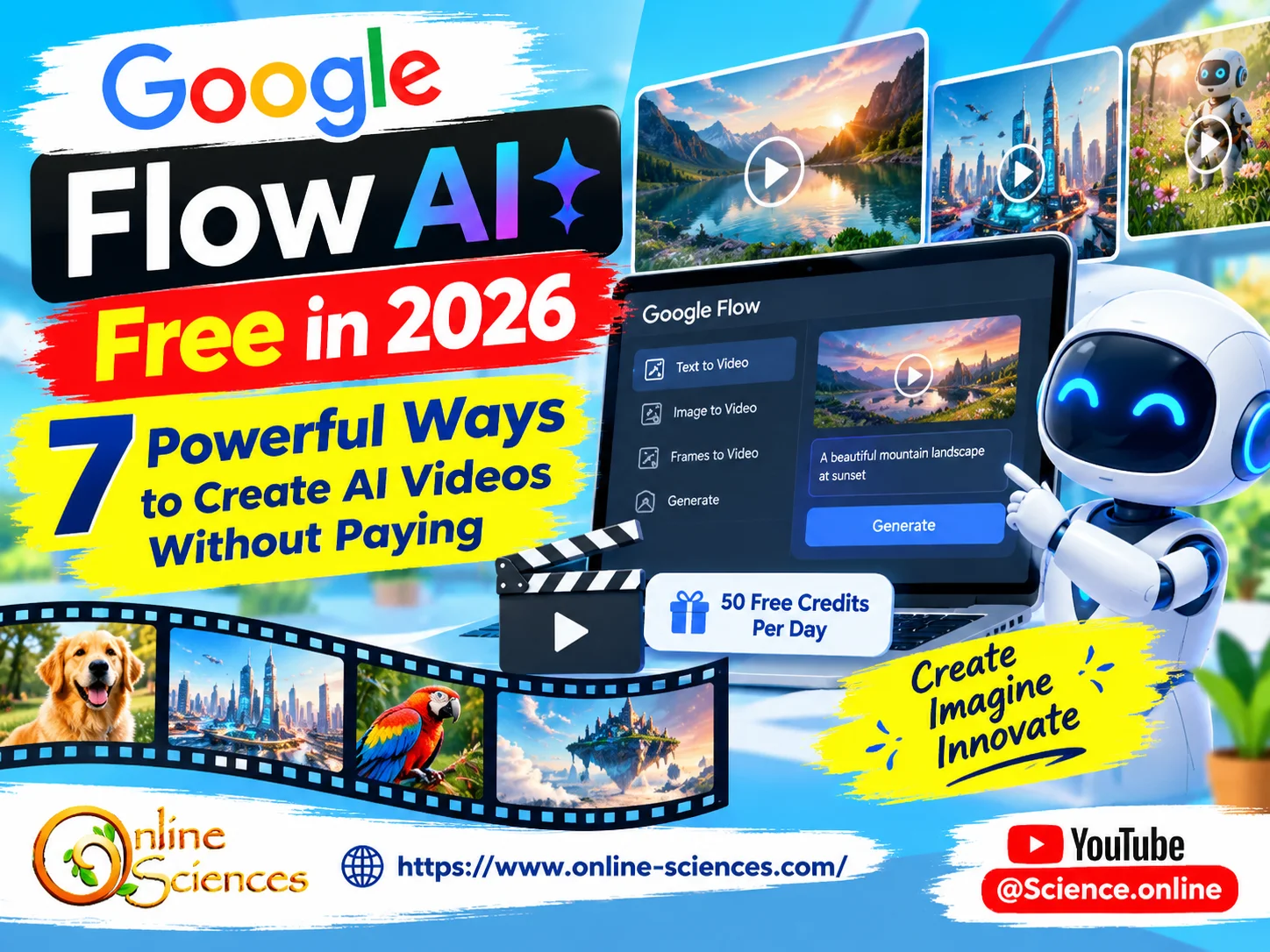
Google Flow AI is a free video generator using Google’s generative AI tools to create cinematic videos.
What is Google Flow AI?
Google Flow is an AI filmmaking and creative platform developed by Google. It combines generative AI technologies to help creators turn ideas into visual content without needing professional cameras, complicated editing software, or advanced filmmaking skills.
With Google Flow, users can create videos from written descriptions, animate images, develop visual scenes, and refine generated footage. Depending on the available model and tools, creators can also extend clips, edit existing videos, and maintain more consistent characters and visual styles across a project.
Google Flow works with Google’s advanced generative models, including Veo and Gemini-powered video capabilities. The available models and features may change as Google updates its creative tools.
Is Google Flow AI Free in 2026?
Yes. According to Google’s official Flow website and Help Center, users can access Google Flow without a paid Google AI subscription and receive 50 Google Flow credits per day. However, free access does not guarantee unlimited video generation at all times.
Google notes that non-subscribers may be unable to generate videos during peak hours, approximately 2 PM to 5 PM UTC. Image generation and the Flow Agent may still be available during these periods.
The number of videos you can create depends on the model, video duration, and credit cost per generation. Therefore, 50 daily credits do not necessarily mean 50 videos.
Google also offers paid plans with additional monthly credits and other features. Since prices, eligibility, and included features can change by region, check the official Flow page before subscribing.
How to Use Google Flow AI for Free: Step-by-Step Guide
Follow these steps to start creating AI videos without purchasing a subscription.
Step 1: Open Google Flow
Visit https://labs.google/fx/tools/flow using your web browser. Make sure you are using Google’s official website rather than an unofficial service claiming to provide unlimited credits.
Step 2: Sign in with your Google Account
Sign in with your Google Account and check whether Flow is available to your account and region. You may need to meet Google’s age and account requirements.
Step 3: Check your available credits
Look at your profile information in Flow to see your remaining credits. Google currently offers 50 daily Flow credits for non-subscribers, subject to its current policies and availability.
Step 4: Choose a video creation method
Depending on the tools available to your account, select text-to-video, frames-to-video, or ingredients-to-video. These options let you create scenes from descriptions, starting and ending frames, or visual references.
Step 5: Write a detailed AI video prompt
Describe the subject, setting, movement, camera angle, lighting, atmosphere, and visual style. Specific prompts generally give the AI clearer creative instructions.
For example: “Create a cinematic 8-second video of a friendly humanoid robot walking through a futuristic city at sunset. Use smooth tracking-camera movement, realistic metallic textures, warm orange lighting, reflective glass buildings, and natural environmental sound. Maintain consistent robot design throughout the shot.”
Step 6: Generate and review the video
Submit your prompt and wait for the result. Review the generated footage, then refine the prompt if the movement, lighting, or composition does not match your expectations.
Step 7: Save your credits for important scenes
Experiment with short, simple prompts before attempting complicated sequences. Check the credit cost displayed for the selected model and generation before creating multiple variations.
7 Powerful Features of Google Flow AI
- Text-to-Video Generation: Describe a scene in ordinary language and let the AI turn your idea into moving visuals. This feature is useful for educational videos, product concepts, science explainers, and social media content.
- Image-to-Video Creation: Use a suitable starting image to guide the visual appearance of a scene. Depending on the selected workflow, you may also be able to use frames to help control how a clip begins and ends.
- AI Cinematic Camera Movements: Generate scenes that imitate filmmaking techniques, including tracking shots, close-ups, wide-angle views, and dramatic camera movements. Clear camera instructions can help guide the output, although exact results are not guaranteed.
- Video Extension and Scene Building: Eligible workflows can help extend clips or combine scenes into a more complete visual project. These features are useful when creating a longer story from multiple short AI-generated sequences.
- AI Video Editing: Google Flow provides tools for refining visual ideas and editing generated footage. Specific editing options depend on the model, account, and currently available features.
- Creative Image and Character Tools: Google’s creative models can help develop reference images, characters, and visual assets for video projects. These tools can make it easier to build a recognizable style across related scenes.
- Browser-Based Creative Workflow: Flow brings multiple creative tools into a browser-based environment. This can reduce the need to switch between separate applications during the early stages of planning, generating, and refining a video.
How Many Free Videos Can You Make With Google Flow?
There is no single fixed number of free videos for every user because different models consume different amounts of credits.
Google’s published credit guidance lists different costs for different generation types. For example, certain Gemini Omni Flash video generations cost between 7 and 15 credits at 720p, depending on duration. Some Veo 3.1 options cost more, and quality settings can require substantially more credits.
These examples illustrate why users should check the current cost shown in Flow before generating a clip. A single request may also create more than one video generation, which can use credits faster than expected.
Unused daily credits do not roll over to the next day, according to Google’s Help Center. Using your daily allowance thoughtfully can help you get more value from the free tier.
Best Ways to Get More Value From Free Google Flow Credits
If you want to create AI videos without paying, start by planning your scenes before opening the generator. Write a short script, prepare your prompts, and identify the most important shots. Use simpler prompts when testing an idea. Once you understand which descriptions work well, add details about movement, lighting, framing, and atmosphere.
Avoid repeatedly generating nearly identical clips unless you need variations. If a result is close to your target, refine the prompt rather than changing every instruction. You should also compare available generation models and their displayed credit costs. A faster or lower-cost option may be sufficient for a draft, while a higher-quality option may be better for a final scene.
Finally, check your account regularly for current credit balances and feature availability. Google can change credit costs, access conditions, and model options over time.
Is Google Flow AI Better Than Other Free AI Video Generators?
Google Flow is worth considering if you want to experiment with Google’s video models and combine generation with scene-building and editing tools. Its strengths include a filmmaking-oriented workflow and integration with Google’s broader generative AI ecosystem.
However, the best tool depends on your needs. Some alternatives may offer more accessible free exports, different generation limits, templates, or easier social media editing. Others may restrict video length, add watermarks, or require payment for advanced features.
Before choosing a platform, compare video quality, maximum duration, audio support, export options, daily limits, commercial-use terms, and whether a payment card is required.
For YouTube creators, the most useful option is not necessarily the tool that generates the most clips. It is the one that produces suitable footage consistently and fits your editing workflow.
Can You Use Google Flow AI Videos for YouTube?
AI-generated footage can be useful for YouTube videos, educational explainers, technology reviews, product concepts, and storytelling. However, users should review Google’s applicable terms and any licensing requirements before using generated content commercially.
AI output can contain visual errors, inconsistent objects, or inaccurate details. Check every clip before publishing, especially when it depicts real people, scientific processes, products, or newsworthy events.
Creators should also follow YouTube‘s current monetization and disclosure rules. Adding original narration, meaningful editing, research, and commentary can help make a video more useful and distinctive than a collection of unedited AI-generated clips.
Is Google Flow AI Free Worth Trying?
Google Flow is a compelling option for creators who want to explore AI filmmaking without immediately paying for a subscription. Its free daily credit allowance provides a way to experiment with text-to-video generation and other creative workflows, while paid plans offer additional credits and features.
The main limitation is that free access is not the same as unlimited access. Video generation can be affected by peak demand, model costs, and account eligibility. Plan your scenes, monitor your credits, and confirm the current terms on Google’s official website.
If you are searching for Google Flow AI free, start with the official platform, test a few carefully written prompts, and decide whether the available free allowance meets your creative needs.
Frequently Asked Questions (FAQ) about Google Flow AI
1. Is Google Flow AI free to use?
Yes. Google documents a free option that provides 50 Google Flow credits per day to users without a paid Google AI subscription. Availability and video-generation access may vary.
2. How can I use Google Flow AI for free?
Visit the official Google Flow website, sign in with an eligible Google Account, check your available credits, and create a video using a supported generation tool.
3. Does Google Flow offer unlimited free credits?
No. The documented free allowance is 50 credits per day, not unlimited credits. Different models and generation lengths use different amounts.
4. How many free videos can I generate with Google Flow?
The number depends on the selected model, video duration, and cost per generation. Check the credit requirements shown in Flow before generating videos.
5. Does Google Flow require a credit card?
A paid subscription is not required to try the documented free tier. Account requirements and available features may vary, so check the official sign-in and access process.
6. Why can’t I generate videos in Google Flow?
Possible reasons include insufficient credits, regional or account restrictions, temporary service issues, or peak-hour limitations. Google says non-subscribers may be unable to generate videos during approximately 2 PM to 5 PM UTC.
7. When do Google Flow free credits reset?
Google’s Help Center says the daily credit refresh is triggered by your first generation. Unused daily credits do not roll over.
8. Can I use Google Flow AI without a subscription?
Yes. Google provides a non-subscriber option with daily credits, although certain generation capabilities may be restricted during peak hours or by account eligibility.
9. Can Google Flow generate videos from text prompts?
Yes. Text-to-video is one of the supported creation methods. You can describe the subject, setting, action, lighting, and camera movement to guide the generated scene.
10. Can Google Flow turn images into videos?
Yes. Depending on the available workflow, Flow supports image-based video creation and frames-to-video tools.
11. Does Google Flow generate audio?
Google’s video-generation tools include audio capabilities in supported models and workflows. Audio availability depends on the selected model and current feature support.
12. Is Google Flow available in every country?
No. Availability can depend on the user’s country, account, age, and product eligibility. Consult Google’s official availability information for the latest details.
13. Is Google Flow better than other free AI video generators?
It depends on your priorities. Flow is appealing for AI filmmaking and Google’s creative models, while other platforms may offer different free limits, templates, editing options, or export policies.
14. Can I monetize Google Flow videos on YouTube?
Potentially, subject to the applicable Google terms, content rights, and YouTube monetization policies. Review the footage for errors and add original value to your videos.
15. Where can I access the official Google Flow AI website?
Use the official website: https://labs.google/fx/tools/flow
16. Are Google Flow AI free credits available every day?
Google currently documents 50 daily credits for non-subscribers. Credit policies and availability can change, so confirm the current allowance in your account.
17. What is the difference between Google Flow and Gemini?
Gemini is Google’s AI assistant and model family, while Flow is a creative studio designed for visual generation and AI filmmaking. Flow uses Google’s generative technologies to support video and image workflows.
18. Is Google Flow safe to use?
Use Google’s official website, review the privacy and usage terms, and avoid giving unofficial websites your Google password or account credentials. As with any AI tool, inspect generated content before sharing it.
Explore more science and technology articles on Science Online: https://www.online-sciences.com/
Watch more technology videos on Science Online Channel: https://www.youtube.com/@Science.online
🔥 Google Flow Unlimited Credits FREE 2027: 7 Powerful Ways to Create AI Videos 🚀
🔥 Google Flow Unlimited Credits FREE in 2026: Get 50 Daily Credits & Create Amazing AI Videos!
Google Veo 3 AI Video Generator: How to Create INSANE Videos in Gemini AI Ultra! 🚀
Goodbye Google Assistant? 10 Powerful Reasons Gemini AI Is the Future in 2026
Will Gemini AI Replace Google Assistant? The Ultimate Guide to Google’s Powerful AI Upgrade 2026
Google Assistant Review 2026: Features, Pros, Cons and What It Can Do
Claude AI advantages, disadvantages, features and Is Claude better than GPT 4?
Gemini AI review, advantages, disadvantages and Is Gemini AI better than ChatGPT?