Google Gemini for Teachers: Get Gemini Certified Educator FREE, The Complete Classroom Guide (2026 Update)
Google Gemini for Teachers is transforming the way educators plan lessons, create classroom materials, personalize learning, and use artificial intelligence in education. In this complete guide, discover how to use Gemini for teaching and studying, how Gemini works with Google Classroom, and how to become a Gemini Certified Educator for FREE.
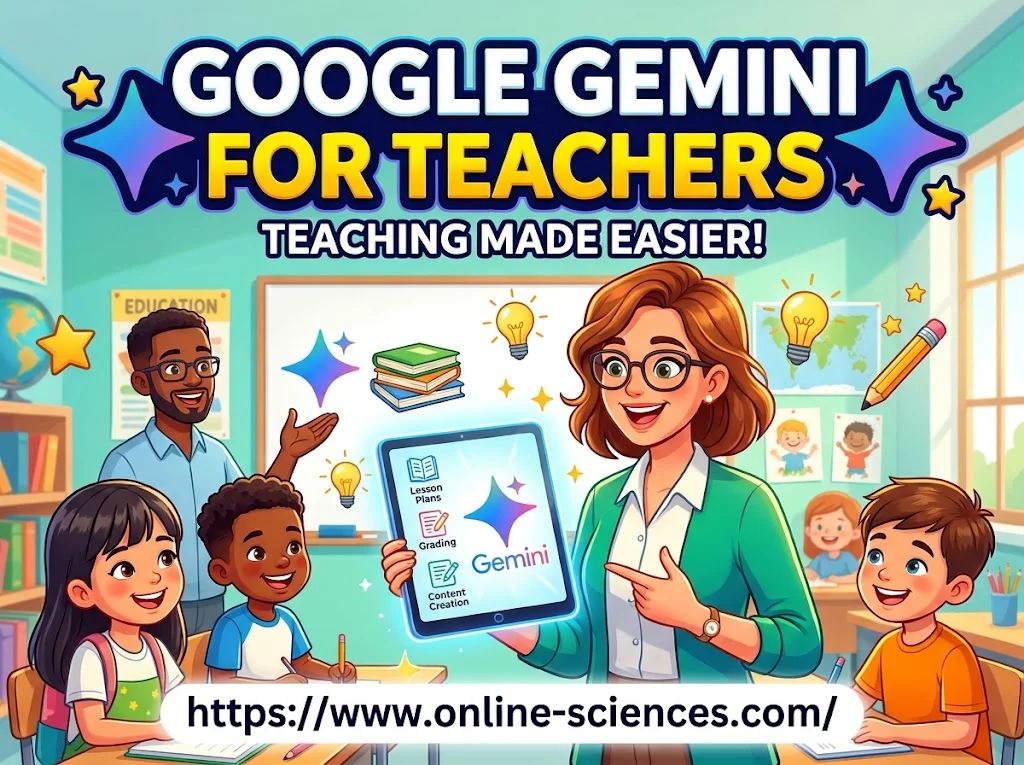
Google Gemini for Teachers
Google Gemini for Teachers
Google Gemini for Teachers is becoming an increasingly useful AI assistant for educators who want to save time, create better lessons, personalize learning, and introduce students to responsible artificial intelligence. Whether you are a teacher discovering Gemini for the first time or preparing to become a Gemini Certified Educator, Google now provides dedicated education resources, training, and certification pathways.
Google’s current certification information lists the Gemini Certified Educator credential as free of charge and valid for three years. Educators can prepare by reviewing the exam guide and taking Google’s Get Started with Google AI in K12 Education training before taking the certification exam.
What is Google Gemini for Teachers?
Google Gemini is Google’s generative AI assistant, and its education ecosystem is designed to help teachers with everyday classroom tasks. Educators can use Gemini to brainstorm lesson ideas, create instructional materials, differentiate activities, develop questions, summarize information, and generate content for different learning levels.
Google for Education says Gemini can help educators save time, find fresh ideas, and create more engaging learning experiences. Gemini is also integrated into Google’s broader education ecosystem, including tools such as Google Classroom, Docs, and other Workspace services.
For eligible educational institutions, Google Workspace for Education Fundamentals is available at no cost and includes access to Gemini for Education, Gemini Notebook, and Gemini in Classroom.
Gemini Certified Educator: What Is It?
The Gemini Certified Educator certification is designed to demonstrate an educator’s ability to use AI effectively for teaching and learning.
According to Google’s current certification page, the credential:
- Is free of charge
- Is valid for three years
- Demonstrates AI proficiency for educators
- Can support a teacher’s professional profile and resume
- Focuses on using Gemini to support lesson planning and learning at different ages and levels
The recommended preparation includes Google’s Get Started with Google AI in K12 Education course and the official exam guide. After preparation, educators can take the certification exam and earn their certificate.
How to Get Gemini Certified Educator for FREE
One of the biggest advantages of the current program is that Google lists the Gemini Certified Educator exam as free.
A simple process is:
Step 1: Open Google’s certification resources
Go to Google’s official Education Certification page and locate Gemini Certified Educator.
Step 2: Study the official preparation material
Google recommends reviewing the exam guide and completing Get Started with Google AI in K12 Education. This gives educators an understanding of AI concepts and classroom applications before attempting the exam.
Step 3: Practice using Gemini
Don’t only memorize information for the exam. Practice using Gemini to:
- Create lesson plans.
- Generate classroom activities.
- Adapt explanations for different student levels.
- Create quizzes and questions.
- Brainstorm project ideas.
- Summarize educational resources.
- Improve classroom communication.
Step 4: Take the certification exam
After preparation, register for the Gemini Certified Educator exam through Google’s official education certification system.
Step 5: Earn your certificate
After completing the exam, you can receive the Gemini certification and use the credential professionally.
Google Educator Exams: Level 1 and Level 2
The Google Certified Educator program is separate from the Gemini Certified Educator credential, although the certifications can complement each other.
Google currently lists both Google Certified Educator Level 1 and Level 2 as free and valid for three years. Level 1 demonstrates mastery of fundamental Google tools for the classroom, while Level 2 validates more advanced technology-integration skills. This makes an attractive learning path for teachers:
Google Certified Educator Level 1 → Google Certified Educator Level 2 → Gemini Certified Educator
Educators interested in Google’s broader professional programs may also find these certifications useful. For example, Google says applicants for the Certified Innovator program must have Level 1, Level 2, and Gemini Certified Educator credentials.
How to Master Google Gemini in 2026
You do not need to become an AI expert overnight. Start with simple classroom tasks and gradually develop more advanced prompting skills. A useful approach is the Big 6 in 60 concept: spend short, focused sessions learning practical AI skills instead of trying to master every Gemini feature at once.
Focus on six areas:
- Lesson planning.
- Student differentiation.
- Assessment and quizzes.
- Classroom content creation.
- Research and brainstorming.
- Responsible AI use.
The goal is not to let AI replace the teacher. Instead, Gemini should help teachers spend less time on repetitive work and more time interacting with students.
Gemini in Google Classroom
One of the most important developments for educators is the growing integration of Gemini and AI-powered tools into the Google Classroom ecosystem. Google describes Gemini in Classroom as a collection of AI tools designed to help teachers move from an idea to instruction more quickly. These tools can assist with lesson planning and creating learning materials.
Google Classroom itself can also support interactive practice and personalized learning. Google says practice sets can provide students with real-time feedback and hints when they become stuck. This means teachers can combine Classroom’s organizational tools with Gemini’s generative capabilities to build more interactive learning experiences.
How to Use Google Gemini for Studying
Gemini is useful for more than teachers. Students can use AI as a study partner when it is used responsibly. For example, a student can ask Gemini to:
- Explain a difficult concept in simpler language.
- Create practice questions.
- Generate a study guide.
- Compare two scientific theories.
- Summarize supplied study materials.
- Create a revision plan.
- Quiz the student interactively.
Gemini Notebook is particularly useful for studying because users can provide their own materials and generate summaries, study guides, lesson plans, and quizzes based on those sources. Google describes Notebook as a research and thinking partner grounded in user-supplied information. The best strategy is to ask Gemini to teach and test you, rather than simply asking it to provide the final answer.
Google Gemini Student Offer: Full Process
Google also currently has a student offer in many countries. The exact eligibility and benefits depend on the student’s location and Google’s current offer terms.
For example, Google’s Egypt student page currently advertises a one-year student plan at no cost for eligible students, with features including higher usage limits, study notebooks, interactive visual presentations, Gemini Live, and additional storage. The offer page states that eligible users can redeem the offer through December 31, 2026, subject to the applicable terms and a valid payment method.
Students should therefore check Google’s official student offer page rather than relying on old YouTube tutorials or screenshots, because eligibility, dates, pricing, and available features can change.
10 Easy Ways to Use Gemini as a Teacher
Here are ten practical classroom uses:
- Create lesson plans for different grade levels.
- Differentiate instruction for students with different abilities.
- Generate quizzes for revision.
- Create discussion questions that encourage critical thinking.
- Rewrite explanations in simpler language.
- Brainstorm classroom activities and projects.
- Create rubrics for assignments.
- Generate examples to make difficult concepts easier to understand.
- Draft classroom communications and announcements.
- Develop personalized learning materials for individual student needs.
Google itself provides educator resources and pre-built prompts designed to help teachers discover practical ways to use Gemini in education.
Gemini Certified Educator Exam Series
Teachers preparing for the Gemini Certified Educator Exam should focus on understanding practical applications rather than memorizing isolated AI terminology.
Important preparation areas include:
- Generative AI fundamentals.
- Effective prompting.
- Lesson planning with AI.
- Differentiated instruction.
- Student engagement.
- Responsible AI use.
- Evaluating AI-generated information.
- Privacy and appropriate classroom use.
- Gemini‘s role in Google education tools.
The official preparation course should remain the primary study resource because Google’s products and certification requirements can change.
Get Google Educator Level 1 and Level 2 While They Are Free
If you are beginning your Google education certification journey, the current Google certification page provides an excellent opportunity. Level 1 focuses on fundamental Google tools and classroom use, while Level 2 focuses on more advanced technology integration. Both are currently listed by Google as free of charge and valid for three years.
Adding Gemini certification creates a stronger AI-focused professional profile: Google Certified Educator Level 1 + Level 2 + Gemini Certified Educator. This combination can demonstrate both Google Workspace expertise and practical AI knowledge.
The Ultimate Teacher’s Guide to Google Gemini
The most effective way to use Gemini is to treat it as a teaching assistant, brainstorming partner, and productivity tool—not as a replacement for professional judgment.
Always review AI-generated content before giving it to students. Gemini can occasionally produce inaccurate information, inappropriate examples, or outdated details. Teachers remain responsible for checking facts, adapting materials to their curriculum, and protecting student privacy.
For research-heavy assignments, Gemini Notebook can be especially useful because it can work from materials provided by the user and produce responses grounded in those sources.
Is Gemini Certification Worth It for Teachers?
For educators interested in AI, the answer is increasingly yes, especially while the certification remains free. The credential can demonstrate that you have invested in learning how generative AI can support education. More importantly, the preparation process can give teachers practical skills that can immediately improve lesson planning, content creation, differentiation, and productivity.
Google’s certification ecosystem is also expanding beyond traditional Google Workspace skills. The current program includes Gemini Certified Educator, Gemini Certified Faculty, and Gemini Certified Student credentials, showing Google’s broader focus on AI literacy in education.
Frequently Asked Questions
Is Gemini Certified Educator free?
Yes. Google’s current certification information lists the Gemini Certified Educator certification as free of charge and valid for three years.
How do I become a Gemini Certified Educator?
Review Google’s exam guide, complete the Get Started with Google AI in K12 Education preparation course, and then take the official Gemini Certified Educator exam.
Are Google Educator Level 1 and Level 2 free?
Google currently lists both Level 1 and Level 2 as free of charge, with each certification valid for three years.
Can students get Gemini certification?
Yes. Google offers Gemini Certified Student credentials, including a version for K–12 students aged 13+ and a university-student pathway for those 18+.
Can students use Gemini for studying?
Yes. Gemini can help students understand concepts, create study materials, practice questions, summaries, and personalized learning resources. Google’s Gemini Notebook is specifically designed to work with user-provided learning materials.
Is Gemini available in Google Classroom?
Google currently provides Gemini in Classroom, with AI tools designed to help educators plan and differentiate instruction. Availability of particular features can depend on the education edition, administrator settings, and rollout.
How long is Gemini Certified Educator valid?
Google currently states that the Gemini Certified Educator credential is valid for three years.
Final Thoughts
Google Gemini for Teachers represents an important step toward AI-assisted education. From lesson planning and differentiated instruction to student study tools and Google Classroom integration, Gemini can help educators work more efficiently while creating more personalized learning experiences.
If you want to build your credentials, the current pathway is particularly attractive: Google Certified Educator Level 1, Level 2, and Gemini Certified Educator are all currently listed by Google as free certifications.
For teachers preparing for 2026 and beyond, learning how to use Gemini responsibly may be just as valuable as earning the badge itself. The strongest educators will not simply know how to ask AI for an answer—they will know how to use AI to create better questions, better lessons, and better learning experiences.
You can follow Science Online on YouTube at this link: Science Online
Gemini Takes Over: The End of Google Assistant in 2026! 🚀
Goodbye Google Assistant: Can Your Android Phone Actually Run Gemini? 🚀
Goodbye Google Assistant? 10 Powerful Reasons Gemini AI Is the Future in 2026
Will Gemini AI Replace Google Assistant? The Ultimate Guide to Google’s Powerful AI Upgrade 2026
Google Assistant Review 2026: Features, Pros, Cons and What It Can Do
Claude AI advantages, disadvantages, features and Is Claude better than GPT 4?
Claude Sonnet 4.5 features, advantages, disadvantages, Is Claude Sonnet 4 better than GPT 4?
Gemini AI review, advantages, disadvantages and Is Gemini AI better than ChatGPT?
ChatGPT review, features, advantages and disadvantages
Google Bard AI chatbot advantages, disadvantages, review, features and Bard vs ChatGPT