Google Flow AI for YouTube 2027: Create Viral YouTube Videos with AI – No Camera Needed!
Want to create professional YouTube videos without expensive cameras, studios, or complicated editing software? Google Flow AI for YouTube is an exciting AI-powered video creation solution that helps content creators transform simple text prompts and images into cinematic video scenes. Whether you create YouTube Shorts, educational videos, technology reviews, storytelling content, or viral AI videos, Google Flow can help you bring your creative ideas to life and make your YouTube channel more engaging.
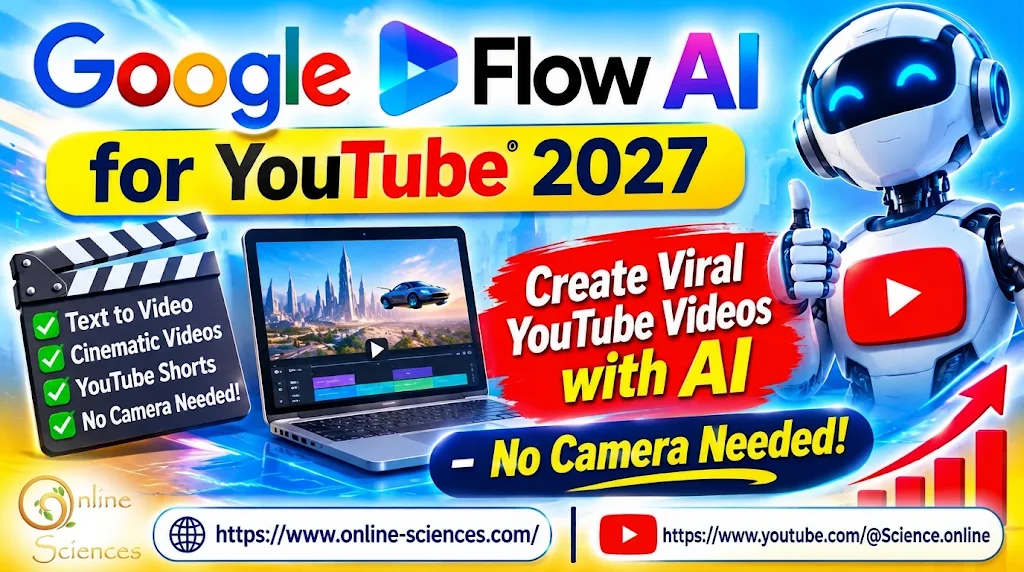
Google Flow AI for YouTube 2027
Google Flow AI
Google Flow AI is an exciting AI video creation solution for content creators who want to produce professional and cinematic videos more easily. It helps YouTubers explore creative ideas, generate impressive visual scenes, and develop engaging content about artificial intelligence, robotics, science, and technology. In 2027, AI-powered video creation offers new opportunities for beginners and professional creators to improve their video production workflows.
Google Flow AI Video Generator
The Google Flow AI video generator helps transform creative ideas into cinematic video scenes using text prompts and images. You can describe a futuristic robot, a beautiful city, a scientific experiment, or an amazing space adventure and use AI-generated visuals in your video projects. It is a useful tool for creating YouTube videos, Shorts, educational content, and engaging technology presentations without recording every scene with a traditional camera.
Google Flow AI Free
Google Flow AI Free is an attractive option for beginners and YouTube creators who want to experiment with AI video generation without immediately paying for a subscription. Depending on Google’s current plans and eligibility, users may have access to free credits or limited video-generation features. These options allow creators to test different prompts, explore cinematic video creation, and discover how AI can help produce engaging YouTube content before considering a paid plan.
What is Google Flow AI for YouTube?
Google Flow AI is an AI-powered filmmaking tool designed to help users create cinematic videos using text prompts, images, and AI-generated scenes. It makes video production more accessible to beginners, YouTubers, filmmakers, and digital content creators. Instead of recording every scene with a camera, creators can describe what they want to see and use AI video generation to produce visual content.
For YouTube creators, this opens up exciting possibilities. You can create videos about artificial intelligence, robots, technology, science, space exploration, future inventions, and many other topics without filming everything yourself. Google Flow is particularly interesting for creators who want to experiment with cinematic storytelling and professional-looking visuals.
How to Use Google Flow AI to Create YouTube Videos
Creating videos with Google Flow can be an exciting experience, even if you have no previous filmmaking experience. Here is a simple workflow:
1. Choose a YouTube Video Idea
Start with an interesting topic that your audience wants to watch. Examples include the best humanoid robots, future AI technologies, amazing scientific discoveries, and new inventions.
2. Write an AI Video Prompt
Describe the scene you want to generate. Include details about the subject, environment, camera movement, lighting, and visual style.
For example:“Create a cinematic 4K video showing a futuristic humanoid robot walking through a modern smart city, realistic movements, dramatic lighting, advanced technology, and professional camera movements.”
3. Generate Your Video Scenes
Use Google Flow‘s available video-generation features to turn your creative ideas into visual scenes. Experiment with different prompts and images to achieve the results you want.
4. Edit Your YouTube Video
Combine the generated clips using a video editor. Add background music, voiceovers, subtitles, transitions, and sound effects to make your video more professional.
5. Create an Attractive Thumbnail
Your thumbnail and title are important for attracting viewers. Use bright colors, large readable text, and an interesting visual that communicates the main idea.
Best YouTube Video Ideas Using Google Flow AI
Google Flow AI can inspire many types of YouTube content. Here are some ideas worth exploring:
- AI and Technology Videos: Explain the latest artificial intelligence tools, AI models, and technological innovations.
- Humanoid Robot Videos: Create cinematic scenes featuring futuristic robots, robotic assistants, and advanced machines.
- Science and Space Videos: Produce educational visual stories about planets, galaxies, black holes, and scientific discoveries.
- YouTube Shorts: Create short, engaging clips featuring surprising facts, futuristic inventions, and interesting AI-generated scenes.
- Storytelling Videos: Turn creative stories into cinematic scenes with different locations and characters.
For a science and technology channel like Science Online, Google Flow can be especially useful for illustrating complex scientific concepts and showcasing futuristic robots and inventions.
Google Flow AI for YouTube Shorts
YouTube Shorts provide an excellent opportunity to reach new audiences with short, entertaining videos. Google Flow can help creators produce eye-catching visual clips for Shorts, including futuristic robot demonstrations, AI-generated transformations, science facts, and cinematic technology scenes.
To make your Shorts more engaging:
- Start with a powerful hook in the first few seconds.
- Use vertical 9:16 video formatting.
- Keep the storytelling simple and interesting.
- Add captions and a clear voiceover.
- End with an interesting question to encourage comments.
You can also create several short clips around one topic and combine them into a longer YouTube video.
Google Flow AI vs Traditional YouTube Video Creation
Google Flow AI and traditional YouTube video creation offer two different approaches to producing engaging video content. With Google Flow AI, creators can generate cinematic video scenes using text prompts and images without needing expensive cameras, professional studios, or actors.
It is particularly useful for creating AI-generated technology videos, futuristic robot demonstrations, educational content, and YouTube Shorts. In contrast, traditional video creation relies on real camera recordings, lighting equipment, microphones, actors, and manual editing, giving creators greater control over real-world footage and authentic human interactions.
While traditional filmmaking may take more time, require more equipment, and cost more to produce, Google Flow AI can simplify the creative process and help beginners experiment with professional-looking visuals. The best approach is to combine both methods, using AI-generated scenes alongside real footage, original voiceovers, and creative editing to produce unique, high-quality YouTube videos that attract viewers and grow your channel.
Google Flow AI does not replace every traditional filmmaking technique. Instead, it provides another way to create visual content, reduce production challenges, and experiment with new storytelling styles.
Is Google Flow AI Free for YouTube Creators?
Google Flow may offer free access or introductory credits depending on Google’s current plans and eligibility. However, available credits, subscription options, and video-generation limits can change. You should check Google’s official Flow website for the latest availability and pricing.
Remember that generating videos for YouTube does not automatically guarantee monetization. Creators should add original ideas, meaningful narration, useful information, and creative editing rather than publishing repetitive, mass-produced AI clips.
Tips to Make Viral YouTube Videos with Google Flow AI
Creating a beautiful AI video is only one part of building a successful YouTube channel.
Here are some important tips:
- Choose trending topics related to AI, robotics, and technology.
- Write creative prompts with detailed cinematic descriptions.
- Use realistic AI-generated visuals to capture attention.
- Add original voiceovers and informative explanations.
- Create attractive thumbnails with clear, bright colors.
- Optimize your YouTube titles and descriptions with relevant keywords.
- Experiment with YouTube Shorts to attract new subscribers.
- Analyze audience retention and improve your future videos.
The most successful strategy is combining AI-generated visuals with original storytelling and valuable information.
Conclusion
Google Flow AI for YouTube 2027 offers exciting opportunities for creators who want to produce cinematic videos, engaging YouTube Shorts, and creative technology content. From humanoid robots and futuristic cities to educational science videos, AI-generated scenes can make your content more visually appealing.
Frequently Asked Questions (FAQ)
1. What is Google Flow AI for YouTube?
Google Flow AI is an AI-powered filmmaking tool that helps creators generate cinematic video scenes using text prompts and images, which can be incorporated into YouTube content.
2. Can I use Google Flow AI to make YouTube videos?
Yes. You can use AI-generated clips in YouTube videos, Shorts, educational content, technology reviews, and storytelling projects.
3. Is Google Flow AI free for YouTube creators?
Google may provide free access or credits depending on its current plans and eligibility. Check the official website for updated details.
4. Can Google Flow AI create YouTube Shorts?
Yes. You can generate video clips and edit them into vertical 9:16 YouTube Shorts using a suitable video editor.
5. Can I monetize Google Flow AI videos on YouTube?
AI-generated videos can be eligible for monetization if they comply with YouTube‘s monetization policies and provide original, authentic, and valuable content. Repetitive or mass-produced content with little added value may not qualify.
6. Do I need video editing skills to use Google Flow AI?
No advanced filmmaking skills are required to start generating scenes, but basic editing skills will help you combine clips, add narration, and produce professional YouTube videos.
7. What are the best YouTube niches for Google Flow AI?
Popular possibilities include artificial intelligence, robotics, science, space exploration, futuristic technology, educational storytelling, and entertainment.
8. Can Google Flow AI generate realistic cinematic videos?
It can generate cinematic-style scenes, depending on the selected model, prompt quality, and available features. Results may vary.
Explore more science and technology articles on Science Online: https://www.online-sciences.com/
Watch more technology videos on Science Online Channel: https://www.youtube.com/@Science.online
🔥 🚀 Google Flow AI for YouTube: Create AMAZING Viral Videos with AI! 🔥
🔥 Google Flow AI 2027: Create Hollywood-Style Videos for FREE! 10 Mind-Blowing Features & Pricing! 🚀
🔥 Google Flow Mod APK Download: 7 Powerful Tips for AI Video Creation Safely!
🔥 Google Flow APK Download: Create Stunning AI Videos in 2027! 🚀🔥
🔥 Google Flow AI Free Credits: 7 Powerful Ways to Get More AI Videos 🚀🔥
🔥 Google Flow AI Tutorial 2027: 10 Powerful Steps to Create Stunning AI Videos 🚀🔥
🔥 Google Flow Unlimited Free 2027: 7 Powerful Ways to Create AI Videos Without Paying 🚀
🔥 Google Flow Credits 2027: 7 Powerful Ways to Get More Free AI Credits 🚀
🔥 Google Flow AI Video Generator 2027: 15 Powerful Features & Free Credits 🚀
🔥 Google Flow AI Free in 2026: Create Amazing AI Videos Without Paying 🚀
🔥 Google Flow Unlimited Credits FREE 2027: 7 Powerful Ways to Create AI Videos 🚀
🔥 Google Flow Unlimited Credits FREE in 2026: Get 50 Daily Credits & Create Amazing AI Videos!
Google Veo 3 AI Video Generator: How to Create INSANE Videos in Gemini AI Ultra! 🚀
Goodbye Google Assistant? 10 Powerful Reasons Gemini AI Is the Future in 2026
Will Gemini AI Replace Google Assistant? The Ultimate Guide to Google’s Powerful AI Upgrade 2026
Google Assistant Review 2026: Features, Pros, Cons and What It Can Do