Will Gemini Work on All Android Devices? The Complete 2026 Compatibility Guide
Will Gemini work on all Android devices is one of the most common questions Android users ask as Google continues replacing Google Assistant with Gemini AI. Gemini brings advanced artificial intelligence features, natural conversations, content generation, and deeper integration with Android smartphones. However, not every Android device can run Gemini with the same performance or feature set.
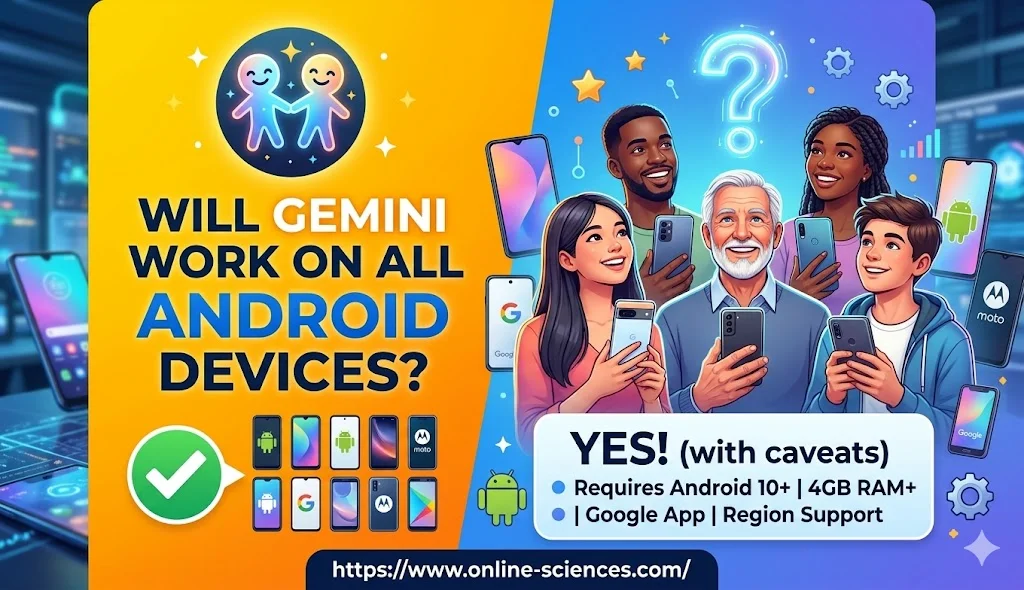
Will Gemini Work on All Android Devices?
What is Gemini AI?
Gemini is Google’s advanced AI platform designed to replace traditional voice assistants with a more intelligent and conversational experience. Unlike Google Assistant, Gemini can:
- Understand complex requests.
- Generate text and content.
- Summarize documents.
- Assist with coding tasks.
- Analyze images.
- Integrate across Google apps.
- Support natural conversations.
The technology combines large language models with Android system integration, creating a smarter digital assistant. As Gemini becomes Google’s primary AI assistant in 2026, users want to know whether their phones are compatible and what hardware requirements are necessary.
The answer depends on the Android version, RAM capacity, processor performance, and regional availability. Understanding these requirements can help you determine whether your smartphone is ready for Google’s next-generation AI experience.
Will Gemini Work on All Android Devices?
The short answer is no, Gemini will not work on every Android device. While many modern Android smartphones support Gemini, older devices may face limitations due to hardware and software requirements.
Gemini generally requires:
- Android 10 or newer.
- Google app support.
- At least 2 GB RAM (4 GB or more recommended).
- Access to Google Play Services.
- Supported region and language.
Premium AI features perform best on newer devices equipped with powerful processors and higher memory capacities.
Minimum Requirements for Gemini in 2026
To run Gemini smoothly, your Android device should meet the following specifications:
- Requirement Minimum.
- Android Version Android 10+.
- RAM 2 GB minimum.
- Recommended RAM 4 GB+.
- Google Play Services Required.
- Internet Connection Required for most features.
- Google Account Required.
Devices with Android 12, Android 13, Android 14, Android 15, and Android 16 typically provide the best Gemini experience.
Devices That Support Gemini
Most modern smartphones from major manufacturers support Gemini, including:
Samsung:
- Galaxy S24 Series.
- Galaxy S25 Series.
- Galaxy Z Fold Series.
- Galaxy Z Flip Series.
- Galaxy A55 and newer.
Google Pixel:
- Pixel 7 Series.
- Pixel 8 Series.
- Pixel 9 Series.
- Newer Pixel models.
Xiaomi:
- Xiaomi 14 Series.
- Xiaomi 15 Series.
- Redmi Note recent models.
OnePlus:
- OnePlus 12.
- OnePlus 13.
- Newer flagship devices.
Motorola:
- Edge Series.
- Recent Razr models.
OPPO and Vivo:
Most flagship and upper mid-range devices released within the past few years support Gemini.
Why Some Android Phones Cannot Run Gemini
Several factors may prevent Gemini from working properly:
- Outdated Android Version: Phones running Android 9 or earlier may not receive full Gemini support.
- Limited RAM: AI processing requires memory. Devices with less than 2 GB RAM often struggle to run Gemini effectively.
- Unsupported Processor: Older chipsets may lack the AI acceleration necessary for advanced Gemini features.
- Missing Google Services: Devices without Google Play Services cannot use standard Gemini functionality.
- Regional Restrictions: Some Gemini features launch in specific countries before becoming globally available.
Gemini vs Google Assistant
Gemini vs Google Assistant is one of the biggest discussions among Android users in 2026. Google Assistant was designed primarily as a voice-controlled digital assistant that could answer questions, set reminders, control smart home devices, and perform basic tasks through voice commands. Gemini, on the other hand, is powered by advanced generative AI technology that understands context better, holds longer conversations, and provides more detailed and intelligent responses. Instead of simply executing commands, Gemini can reason through complex requests and help users solve problems in a more natural way.
When it comes to productivity, Gemini offers significant advantages over Google Assistant. Users can ask Gemini to summarize articles, write emails, create content, brainstorm ideas, explain complicated topics, and even assist with coding tasks. Google Assistant was excellent for quick actions like setting alarms or checking the weather, but it lacked the advanced AI capabilities that Gemini provides. This makes Gemini a more powerful tool for students, professionals, and content creators who need more than basic voice assistance.
Another major difference is conversational ability. Google Assistant typically responded to individual commands, while Gemini can maintain context throughout a conversation. For example, users can ask follow-up questions without repeating previous information, making interactions feel more natural and human-like. Gemini also integrates more deeply with Google’s AI ecosystem, allowing it to analyze documents, images, and information from multiple sources to deliver richer responses.
Despite Gemini‘s advantages, Google Assistant still performs some everyday tasks quickly and efficiently. However, Google is increasingly focusing its development efforts on Gemini, making it the future of AI assistance on Android devices. For users seeking smarter conversations, content generation, advanced problem-solving, and improved productivity, Gemini is the clear winner.
Those who primarily use voice commands for simple tasks may find both assistants useful, but Gemini represents a significant leap forward in artificial intelligence and user experience. Gemini significantly expands what users can accomplish compared to Google Assistant.
Can Gemini Replace Google Assistant Completely?
For many users, yes.
Gemini can already perform most traditional Assistant tasks, including:
- Making calls.
- Sending messages.
- Setting reminders.
- Controlling smart home devices.
- Opening apps.
- Answering questions.
Google continues improving Gemini‘s integration with Android, making it the primary AI assistant for the future.
Benefits of Using Gemini on Android
- Enhanced Productivity: Gemini helps users write emails, summarize articles, and organize tasks.
- Smarter Search: Users receive contextual answers instead of simple search results.
- Better Voice Interactions: Conversations feel more natural and human-like.
- Cross-App Assistance: Gemini can work across Gmail, Docs, Maps, YouTube, and other Google services.
- Continuous Improvement: Google regularly updates Gemini with new capabilities.
How to Check if Your Android Device Supports Gemini
Follow these steps:
- Open Google Play Store.
- Search for Gemini.
- Check whether installation is available.
- Update Android to the latest version.
- Update Google Play Services.
- Sign in with your Google account.
If Gemini installs successfully, your device likely meets the compatibility requirements.
Future of Gemini on Android
Google’s long-term strategy focuses on making Gemini the center of the Android experience. Future Android versions will likely integrate Gemini more deeply into:
- Phone settings.
- Search functionality.
- Productivity apps.
- Smart home management.
- On-device AI processing.
As mobile processors become more powerful, Gemini‘s capabilities will continue expanding across supported Android devices.
Conclusion
The answer to whether Gemini works on all Android devices is no, but most modern Android smartphones can run Gemini successfully. Devices running Android 10 or later with sufficient RAM, updated Google services, and supported hardware will enjoy the best experience. As Google transitions away from traditional assistants, Gemini is becoming the standard AI companion for Android users worldwide.
Frequently Asked Questions (FAQ) about Gemini
1. Will Gemini work on Android 9 devices?
Most Gemini features require Android 10 or newer, so Android 9 devices may have limited or no support.
2. Does Gemini require an internet connection?
Yes, most Gemini features rely on cloud-based AI processing and require internet access.
3. Can Gemini replace Google Assistant?
Yes, Gemini is designed to become Google’s primary AI assistant and can perform most Assistant functions.
4. How much RAM does Gemini need?
A minimum of 2 GB RAM is required, while 4 GB or more is recommended for smoother performance.
5. Is Gemini available on Samsung phones?
Yes, many recent Samsung Galaxy devices support Gemini.
6. Can Gemini run on budget Android phones?
Many newer budget phones can run Gemini, although advanced AI features may perform better on more powerful hardware.
7. Is Gemini free to use?
Google offers free Gemini access with optional premium plans that provide additional AI capabilities.
You can follow science online on YouTube from this link: Science online
Gemini Takes Over: The End of Google Assistant in 2026! 🚀
Goodbye Google Assistant: Can Your Android Phone Actually Run Gemini? 🚀
Goodbye Google Assistant? 10 Powerful Reasons Gemini AI Is the Future in 2026
Will Gemini AI Replace Google Assistant? The Ultimate Guide to Google’s Powerful AI Upgrade 2026
Google Assistant Review 2026: Features, Pros, Cons and What It Can Do
Claude AI advantages, disadvantages, features and Is Claude better than GPT 4?
Claude Sonnet 4.5 features, advantages, disadvantages, Is Claude Sonnet 4 better than GPT 4?
Gemini AI review, advantages, disadvantages and Is Gemini AI better than ChatGPT?
ChatGPT review, features, advantages and disadvantages
Google Bard AI chatbot advantages, disadvantages, review, features and Bard vs ChatGPT
Artificial intelligence marketing (AI Marketing) importance, features & Chatbots
Applications of Artificial intelligence marketing, How ai is changing marketing & advertising
Benefits & application of Artificial intelligence in business, E-commerce and marketing
Applications of Artificial Intelligence (AI) in Banking and Finance