Typical DIY Robot review 2026: The Complete Guide to Building, Features, Benefits, and Applications
Typical DIY Robot projects have become increasingly popular among students, hobbyists, engineers, and robotics enthusiasts. Whether you’re building a simple obstacle-avoiding robot or an advanced AI-powered machine, DIY robotics offers an affordable and educational way to learn programming, electronics, mechanics, and artificial intelligence.
Typical DIY Robot
What is a Typical DIY Robot?
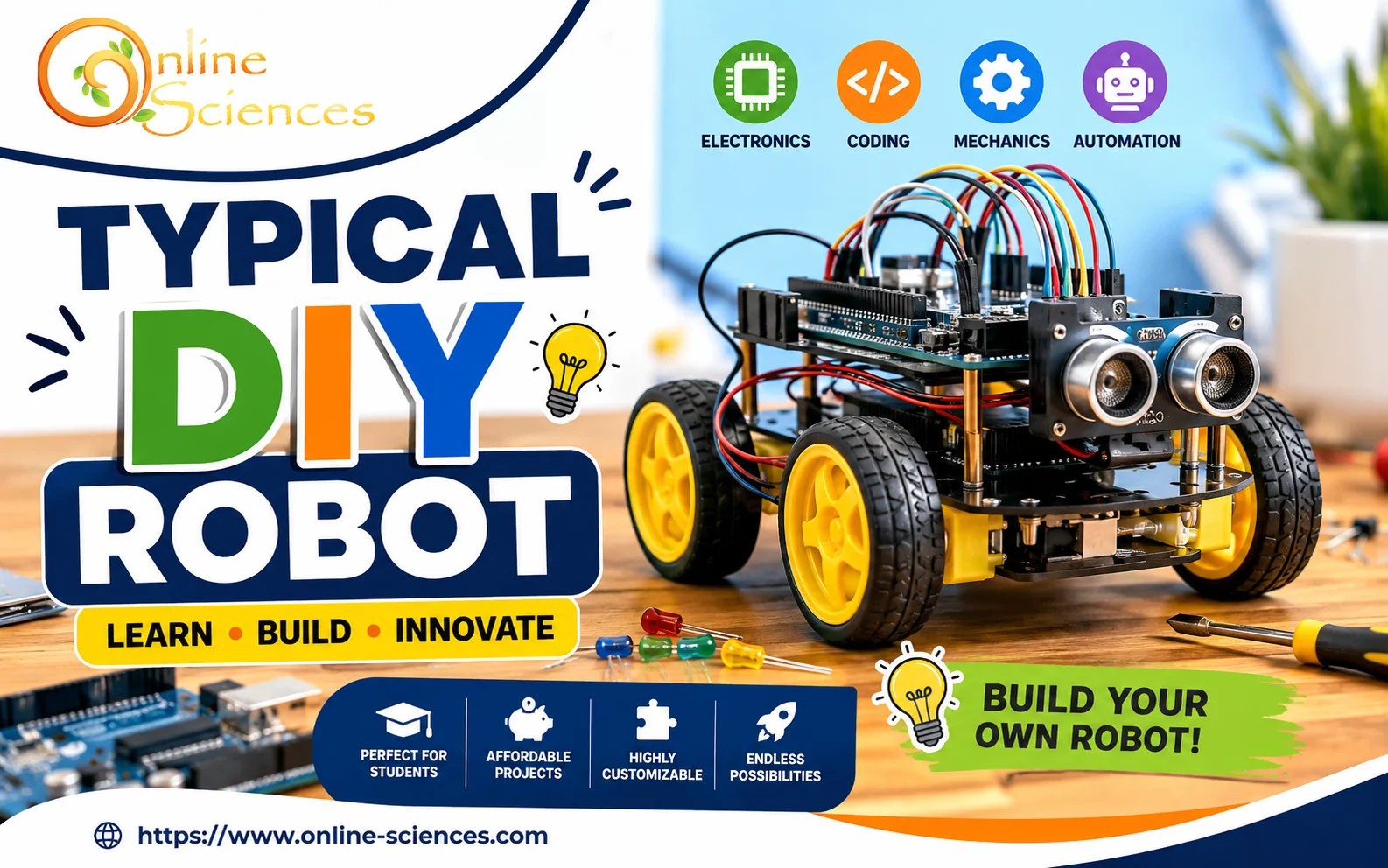
A Typical DIY Robot is a self-built robotic system assembled using commercially available electronic components, mechanical parts, and open-source software. Unlike factory-produced robots, DIY robots are highly customizable and can be modified according to individual project requirements.
DIY robots range from simple educational robots that follow lines to advanced autonomous systems capable of mapping rooms, recognizing objects, and interacting with users. A Typical DIY Robot combines sensors, motors, controllers, and software to perform specific tasks. Thanks to affordable microcontrollers like Arduino, Raspberry Pi, and ESP32, almost anyone can build a capable robot at home.
Typical DIY Robot Components
Every Typical DIY Robot contains several essential components that work together.
Microcontroller or Single-Board Computer
The controller acts as the robot‘s brain.
Popular options include:
- Arduino Uno.
- Arduino Nano.
- ESP32.
- Raspberry Pi.
- STM32.
Sensors
Sensors allow the robot to understand its surroundings.
Common sensors include:
- Ultrasonic distance sensors.
- Infrared sensors.
- Camera modules.
- Temperature sensors.
- Gyroscope.
- Accelerometer.
- GPS.
- LIDAR.
- Compass.
- Light sensors.
Motors
Motors create movement.
Examples include:
- DC motors.
- Servo motors.
- Stepper motors.
- Brushless motors.
Motor Drivers
Motor drivers provide enough current to operate motors safely.
Popular driver boards include:
- L298N.
- TB6612FNG.
- DRV8833.
Power Supply
Typical DIY Robot projects often use:
- Rechargeable Li-ion batteries.
- LiPo batteries.
- AA battery packs.
- USB power banks.
Chassis
The chassis forms the robot‘s body.
Materials include:
- Aluminum.
- Acrylic.
- Plastic.
- Wood.
- 3D-printed parts.
Communication Modules
Many DIY robots support wireless communication using:
Typical DIY Robot Software
Programming is essential for robot behavior.
Popular programming environments include:
Types of Typical DIY Robots
There are many robot categories suitable for beginners and professionals.
- Line-Following Robot: Uses infrared sensors to automatically follow a marked path.
- Obstacle-Avoiding Robot: Detects obstacles with ultrasonic sensors and changes direction.
- Bluetooth-Controlled Robot: Operated remotely through a smartphone application.
- Voice-Controlled Robot: Uses speech recognition to receive commands.
- AI Robot: Uses machine learning and computer vision for intelligent decisions.
- Robotic Arm: Designed to pick up and move objects with precision.
- Self-Balancing Robot: Maintains balance using gyroscopes and accelerometers.
- Autonomous Rover: Navigates independently using GPS, cameras, and advanced sensors.
Advantages of Building a Typical DIY Robot
Building your own robot provides numerous benefits.
- Practical Learning: DIY robotics teaches programming, electronics, mechanics, and automation simultaneously.
- Affordable: Most beginner robots cost far less than commercial robotic systems.
- Highly Customizable: Builders can easily add new sensors, motors, cameras, and software features.
- Encourages Creativity: Every project can be customized for unique applications.
- Excellent STEM Education: DIY robots help students understand engineering concepts through hands-on experience.
Common Applications
Typical DIY Robot projects are used in numerous fields.
- Education: Schools and universities use robotics for STEM learning.
- Home Automation: Robots can monitor homes and control smart devices.
- Agriculture: DIY robots monitor crops and automate irrigation.
- Security: Robots patrol buildings and detect intruders.
- Healthcare: Prototype robots assist with rehabilitation and patient monitoring.
- Research: Universities use DIY robots for artificial intelligence and autonomous navigation experiments.
Popular Controllers for DIY Robotics
- Arduino is best for Uno Beginners.
- Arduino Mega is best for Larger projects.
- ESP32 is best for Wi-Fi and Bluetooth robots.
- Raspberry Pi is best for AI and vision projects.
- STM32 is best for High-performance control.
Typical DIY Robot Programming Languages
Most DIY robots use one or more programming languages.
- C++.
- Python.
- MicroPython.
- JavaScript.
- ROS scripting.
- Scratch (educational robotics).
Sensors Commonly Used
A Typical DIY Robot often includes multiple sensors.
- Ultrasonic sensor.
- Infrared sensor.
- Camera.
- IMU.
- Temperature sensor.
- Humidity sensor.
- Gas sensor.
- GPS receiver.
- LIDAR.
- Hall-effect sensor.
Example Beginner DIY Robot Project
One of the easiest projects includes:
- Arduino Uno.
- HC-SR04 ultrasonic sensor.
- L298N motor driver.
- Two DC motors.
- Robot chassis.
- Wheels.
- Battery holder.
- Rechargeable batteries.
The robot moves forward until it detects an obstacle, then changes direction automatically.
Typical DIY Robot vs Commercial Robot
- Purpose: Typical DIY Robots are built for learning, experimentation, and customization, while commercial robots are designed for professional, industrial, or consumer applications.
- Cost: Typical DIY Robots are generally affordable and can be assembled on a modest budget, whereas commercial robots are usually much more expensive due to advanced hardware and support.
- Customization: Typical DIY Robots offer extensive flexibility to modify hardware and software, while commercial robots often have limited customization options.
- Ease of Assembly: Typical DIY Robots require users to assemble and program the system, whereas commercial robots are typically ready to use out of the box.
- Performance: Typical DIY Robots provide good performance for education and hobby projects, while commercial robots deliver higher precision, reliability, and efficiency.
- Programming: Typical DIY Robots support open-source programming environments like Arduino, Python, and ROS, while commercial robots may use proprietary software and programming tools.
- Maintenance: Typical DIY Robots are easy to repair using readily available components, whereas commercial robots may require specialized parts and manufacturer servicing.
- Scalability: Typical DIY Robots can be upgraded gradually by adding sensors, motors, or AI modules, while commercial robots may have restricted upgrade paths.
- Learning Value: Typical DIY Robots are excellent for developing hands-on skills in electronics, coding, and robotics, while commercial robots focus more on productivity than education.
- Best For: Typical DIY Robots are ideal for students, hobbyists, educators, and makers, whereas commercial robots are better suited for businesses, factories, research institutions, and professional service applications.
Tips for Building Your First Typical DIY Robot
- Start with a simple project.
- Learn basic electronics.
- Practice programming daily.
- Use modular components.
- Test each module separately.
- Keep wiring organized.
- Document your progress.
- Join online robotics communities.
- Upgrade gradually with new sensors and AI capabilities.
Future of Typical DIY Robot Projects
DIY robotics is rapidly evolving with advances in artificial intelligence, computer vision, cloud computing, and affordable hardware. Future DIY robots are expected to include better voice interaction, autonomous navigation, edge AI processing, and seamless integration with smart homes and Internet of Things (IoT) devices. As components become more powerful and accessible, hobbyists will be able to build robots with capabilities that were once limited to research laboratories.
Conclusion
The Typical DIY Robot is an excellent platform for learning robotics, programming, electronics, and artificial intelligence. Whether you’re a beginner assembling your first obstacle-avoiding robot or an experienced maker developing an autonomous AI system, DIY robotics provides endless opportunities for creativity and innovation. With affordable components, open-source software, and a growing global maker community, building your own robot has never been more accessible or rewarding.
Frequently Asked Questions (FAQs) about a Typical DIY Robot
1. What is a Typical DIY Robot?
A Typical DIY Robot is a self-built robot assembled using components such as microcontrollers, motors, sensors, and programmable software to perform automated tasks.
2. Is a Typical DIY Robot suitable for beginners?
Yes. Many beginner-friendly kits use platforms like Arduino or ESP32 and include step-by-step instructions for learning robotics.
3. Which controller is best for a Typical DIY Robot?
Arduino Uno is ideal for beginners, while Raspberry Pi and ESP32 are better for advanced projects involving AI, computer vision, or wireless connectivity.
4. How much does it cost to build a Typical DIY Robot?
A basic DIY robot can cost between $30 and $100, while more advanced robots with cameras, AI, and multiple sensors can cost several hundred dollars.
5. What programming languages are commonly used?
Common languages include C++, Python, MicroPython, JavaScript, and ROS-based scripting.
6. Can a Typical DIY Robot use artificial intelligence?
Yes. By integrating AI libraries, cameras, and more powerful processors like Raspberry Pi, DIY robots can recognize objects, navigate autonomously, and respond to voice commands.
7. What are the main applications of a Typical DIY Robot?
DIY robots are used in education, home automation, research, agriculture, security, healthcare, and hobby projects.
8. What skills can I learn by building a Typical DIY Robot?
You can develop skills in programming, electronics, mechanical design, problem-solving, sensor integration, and embedded systems.
You can follow Science online on YouTube from this link: Science online
Romo – The Smartphone Robot, What Can Romo Robot Do?
Miko Robot Features, importance, and drawbacks, Miko 2 vs Miko 3
Miko review, types, features advantages and disadvantages
Miko 2 vs Miko 3, Difference between Miko 2 and Miko 3
Loona robot review, advantages, disadvantages and what can Loona do?
Sophia robot review, features, use, advantages and disadvantages
Educational robotics, Robot teachers, Social robots review, features advantages & drawbacks
Humanoid robots use, risks, advantages and disadvantages