Moonlight Game Streaming: Play Your PC Games Remotely
Moonlight provides high-speed, responsive streaming suitable for competitive or fast-paced games. You can play your PC games from anywhere (not just your home Wi-Fi). This includes traveling to a friend’s house or even another city. You can remotely control not just games, but your whole computer.
Moonlight Game Streaming
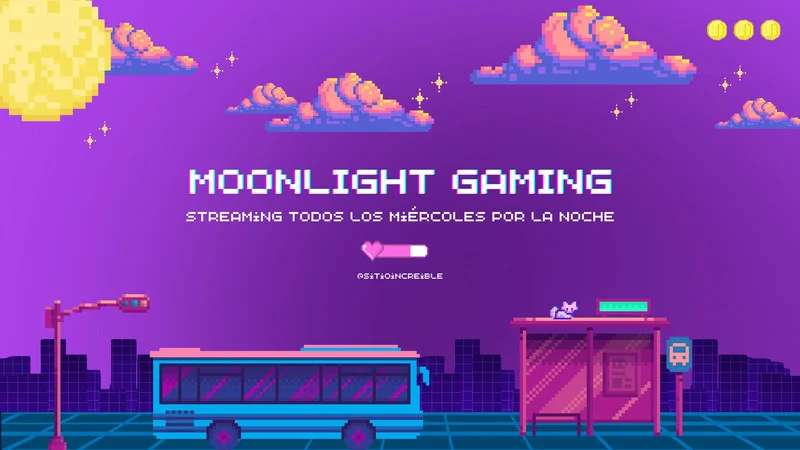
Moonlight Game Streaming is an open-source game-streaming app that lets you stream PC games from a computer with NVIDIA GameStream technology to another device—such as a phone, tablet, TV, laptop, or another computer. It mirrors your PC’s screen in real time, allowing you to play your PC games remotely with low latency, high image quality, and full controller/keyboard support.
Moonlight works with PCs using NVIDIA GeForce Experience GameStream. It streams games to many platforms: Android, iOS, Windows, macOS, Linux, smart TVs, and more. It is designed for high-performance, low-lag gameplay over local networks or the internet. It is fully open-source, community-developed.
Moonlight Game Streaming
Features of Moonlight Game Streaming
- High-Performance, Low-Latency Streaming: Moonlight is designed for very fast, smooth gameplay, with latency low enough for competitive gaming.
- Up to 4K Resolution Support: Moonlight supports 720p, 1080p, 1440p, and 4K streaming, depending on your hardware and network.
- High Frame Rates (60–240 FPS): You can stream games at 60, 90, 120, or even 240 FPS for ultra-smooth visuals.
- Wide Device Compatibility: Moonlight works on many platforms: Windows, macOS, Linux, Android, iOS, Android TV, Samsung TVs, Raspberry Pi, ChromeOS, and other devices with community builds.
- Full Controller Support: Moonlight supports Xbox controllers, PlayStation controllers, Nintendo controllers, Generic Bluetooth controllers, and Keyboard + mouse.
- Internet & LAN Streaming: LAN streaming: near-zero lag, Internet streaming: optimized for remote play from anywhere.
- Open-Source and Customizable: Free and fully open-source, allowing deep customization, plugins, and community contributions.
- Multi-Monitor & Full Desktop Streaming: You can stream: a single game, your entire desktop, specific monitors, and multi-display setups
- HEVC & AV1 Codec Support: Moonlight supports H.264, HEVC (H.265), and AV1 (if your GPU supports it) for improved quality at lower bandwidth.
- Touchscreen & On-Screen Controls: On phones/tablets, you can use built-in touchscreen controls.
- Secure Encrypted Connections: Moonlight encrypts your stream using DTLS and AES for secure remote play.
- Custom Bitrate & Quality Settings: You can manually set: Bitrate, Resolution, FPS, Codec, Performance mode, and QoS (Quality of Service).
What Can Moonlight Game Streaming Do?
- Stream PC Games to Any Device: Moonlight lets you play your PC games on Phones (Android/iOS), Tablets, Laptops, Smart TVs (Android TV, Samsung TV), Raspberry Pi, another PC, and ChromeOS devices. You can enjoy high-quality gaming anywhere.
- Provide Low-Latency Remote Gameplay: Moonlight uses NVIDIA’s GameStream technology to deliver very fast, low-delay gameplay, suitable even for fast-paced games like shooters or racing games.
- Support High Resolution & High FPS Streaming: You can stream games at 1080p, 1440p, or 4K, 60–240 FPS (depending on hardware). This makes your remote gaming experience smooth and sharp.
- Allow Play Over the Internet: You can stream your games not just at home, but also from outside your home network, letting you: play your PC games from another city, access your PC library while traveling, and continue gaming on the go.
- Support Controllers, Keyboard, and Mouse: Moonlight allows full input control, including Xbox, PlayStation, and Nintendo controllers. Keyboard and mouse. Touch controls on mobile devices. All inputs are sent back to the PC instantly.
- Stream Your Entire Desktop: You can stream the full Windows desktop, any app, not just games. Moonlight is useful for remote work, teaching, and presentations.
- Use Advanced Video Codecs: Moonlight supports H.264, HEVC (H.265), and AV1, giving high quality even on slow networks.
- Customize Streaming Quality: Moonlight lets you adjust: Bitrate, FPS, Resolution, Codec, and Performance modes. This helps match your device, network, or preferences.
- Provide Secure Encrypted Connections: All data is encrypted using industry-standard security, keeping your connection safe while gaming remotely.
- Allow Multi-Monitor Setup & Selection: You can select which monitor or window to stream if you have multiple displays.
ِAdvantages of Moonlight Game Streaming
- Extremely Low Latency: Moonlight delivers some of the fastest, most responsive remote gameplay—excellent for action, racing, and competitive games.
- High-Quality Streaming (Up to 4K / 240 FPS): Moonlight Supports: 1080p, 1440p, and 4K, 60–240 FPS, Advanced codecs (H.264, HEVC, AV1). This gives smooth, high-resolution gameplay.
- Completely Free and Open-Source: No fees, no subscriptions, and a community-driven project with frequent updates.
- Wide Device Compatibility: Moonlight Streams to a huge range of devices: Windows, macOS, Linux, Android, iOS, Android TV, Samsung TV, ChromeOS, Raspberry Pi, AND Many other community builds.
- Controller, Keyboard, Mouse, and Touch Support: Almost any input type works flawlessly.
- Works over LAN and the Internet: You can play at home (very low latency), from anywhere in the world (if configured).
- Secure Encrypted Connection: Moonlight uses DTLS and AES to protect your streaming session.
- Full Desktop Streaming: You can remotely control not just games, but your whole computer.
- Highly Customizable: You can tweak: Bitrate, FPS, Codec, Resolution, Performance presets.
- Very Stable and Reliable: Moonlight is built on NVIDIA’s GameStream protocol, known for stability and speed.
Disadvantages of Moonlight Game Streaming
- Requires an NVIDIA GPU That Supports GameStream: Moonlight needs a PC with NVIDIA GeForce GTX/RTX graphics, GeForce Experience with GameStream support. Without this, it will not work (unless using unofficial workarounds).
- Setup Can Be Technical for Beginners: Configuring port forwarding, network settings, and streaming quality may be confusing for some users.
- Internet Streaming Depends on Your Network Quality: Low bandwidth or high ping will cause Lag, Stuttering, Lower quality, and Input delay.
- No Native Game Library Integration: Unlike Steam Link or GeForce NOW, Moonlight has no built-in store or library—you manage your games manually on your PC.
- Host PC Must Stay On: You cannot stream unless the gaming PC is powered on, running NVIDIA GameStream, and connected to the network.
- Limited Support for AMD or Intel GPUs: Moonlight does not work natively with AMD or Intel GPUs.
You can subscribe to Science Online on YouTube from this link: Science Online
TeamViewer uses, advantages and disadvantages
AnyDesk features, advantages, disadvantages, Is AnyDesk safe to use?
RustDesk features, advantages, disadvantages and Is RustDesk right for me?
Proxy Server Advantages and Disadvantages
Software firewalls and hardware firewalls advantages and disadvantages
What are the advantages and disadvantages of using the Internet?