Microsoft Copilot: 15 Powerful Features, Benefits, Pricing & Why It’s the Best AI Assistant in 2026
Microsoft Copilot is one of the most powerful AI assistants available in 2026, transforming how people work, create, and collaborate. Integrated across Windows, Microsoft 365, Edge, Teams, Word, Excel, Outlook, and PowerPoint, Microsoft Copilot helps users write documents, analyze data, generate presentations, summarize meetings, and automate everyday tasks. Whether you’re a student, professional, developer, or business owner, Copilot offers intelligent assistance that saves time and boosts productivity.
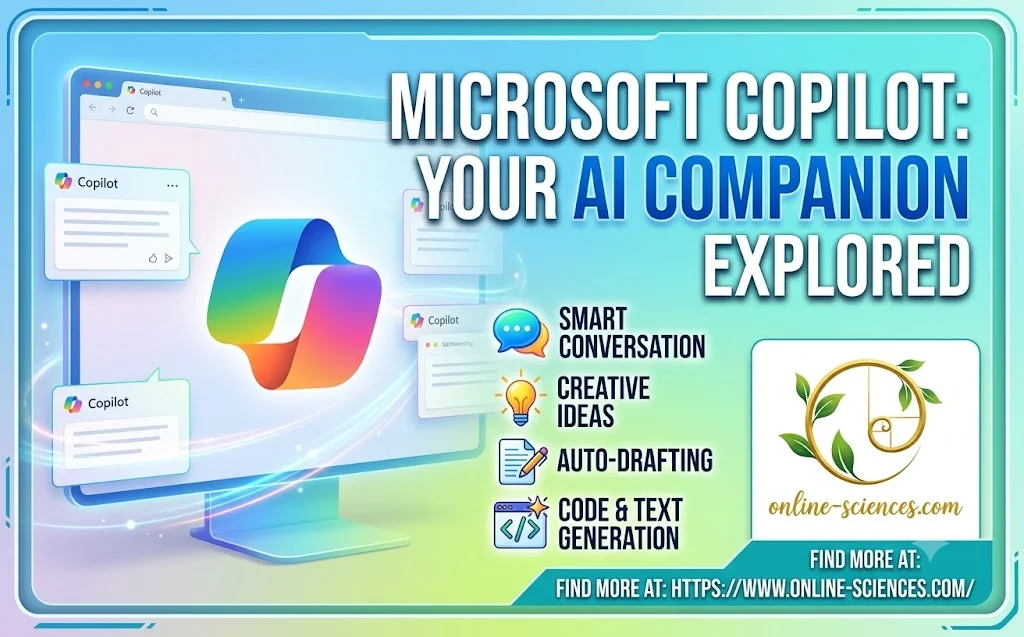
Microsoft Copilot
What is Microsoft Copilot?
Microsoft Copilot is an AI-powered digital assistant developed by Microsoft to help users complete tasks more efficiently. It combines advanced language models with Microsoft’s cloud technologies and productivity applications to deliver contextual, intelligent assistance across multiple devices and services. Unlike traditional virtual assistants, Microsoft Copilot understands natural language, analyzes files, answers complex questions, generates content, and automates workflows directly within Microsoft applications.
Features of Microsoft Copilot
Microsoft Copilot includes a wide range of AI-powered capabilities designed for both personal and professional use.
Intelligent Writing Assistant
Copilot helps users write:
- Emails.
- Reports.
- Business proposals.
- Articles.
- Summaries.
- Marketing content.
- Presentations.
It can rewrite text, improve grammar, adjust tone, and generate ideas in seconds.
Microsoft Word Integration
Within Microsoft Word, Copilot can:
- Draft complete documents.
- Rewrite paragraphs.
- Summarize lengthy reports.
- Generate templates.
- Improve readability.
- Translate text.
- Create professional content.
Excel Data Analysis
One of Copilot’s strongest features is Excel integration.
It helps users:
- Analyze spreadsheets.
- Generate formulas.
- Create charts.
- Identify trends.
- Build financial reports.
- Forecast business performance.
- Automate calculations.
PowerPoint Presentation Creation
Instead of designing presentations manually, Copilot can:
- Generate slides from documents.
- Create speaker notes.
- Design layouts.
- Add visuals.
- Summarize reports into presentations.
- Improve slide organization.
Outlook Email Assistant
Copilot improves email productivity by helping users:
- Draft emails.
- Summarize conversations.
- Suggest replies.
- Organize inboxes.
- Prioritize important messages.
- Schedule meetings.
Microsoft Teams Integration
For Teams users, Copilot can:
- Summarize meetings.
- Highlight action items.
- Generate meeting notes.
- Answer questions discussed during meetings.
- Track tasks.
- Improve collaboration.
Windows Copilot
Built directly into Windows, Copilot allows users to:
- Change system settings.
- Launch applications.
- Search files.
- Answer questions.
- Troubleshoot problems.
- Improve workflow without switching between apps.
AI Image Generation
Microsoft Copilot includes AI-powered image generation for creating:
- Social media graphics.
- Marketing materials.
- Blog illustrations.
- Creative artwork.
- Concept designs.
Coding Assistance
Developers benefit from Microsoft Copilot through:
- Intelligent code completion.
- Bug detection.
- Code generation.
- Documentation creation.
- Code optimization.
- Support for multiple programming languages.
GitHub Copilot integration makes software development faster and more efficient.
Microsoft Copilot for Business
Businesses use Microsoft Copilot to improve productivity across departments.
Common applications include:
- Project management.
- Customer support.
- HR documentation.
- Financial reporting.
- Sales presentations.
- Marketing campaigns.
- Data analysis,
- Internal communications.
Organizations can automate repetitive tasks while maintaining security and compliance.
Advantages of Microsoft Copilot
- Deep integration with Microsoft 365.
- Native Windows support.
- Excellent document creation.
- Powerful Excel analytics.
- Intelligent email assistance.
- Fast presentation generation.
- Enterprise-grade security.
- AI meeting summaries.
- Strong coding capabilities.
- Regular AI updates.
- Easy-to-use interface.
- Cloud synchronization.
Disadvantages of Microsoft Copilot
- Best features require a Microsoft 365 subscription.
- Less integrated with Google services.
- Some advanced tools are enterprise-focused.
- AI-generated responses may occasionally require fact-checking.
- Premium plans may be costly for individual users.
Microsoft Copilot Pricing
- Microsoft offers free and premium versions of Copilot.
- Premium subscriptions unlock:
- Faster AI models.
- Microsoft 365 integration.
- Advanced business tools.
- Enterprise security.
- Larger usage limits.
- Priority access to new AI features.
Pricing may vary depending on region, subscription type, and Microsoft 365 plan.
Microsoft Copilot vs Other AI Assistants
Microsoft Copilot competes with several leading AI assistants, including Google Gemini, ChatGPT, Claude, and Perplexity AI. Compared to general-purpose AI tools, Copilot stands out for its deep integration with Microsoft Office applications and enterprise workflows. It is particularly well-suited for users who rely on Word, Excel, Outlook, Teams, and Windows in their daily work.
Who Should Use Microsoft Copilot?
Microsoft Copilot is ideal for:
- Business professionals.
- Students.
- Teachers.
- Content creators.
- Software developers.
- Financial analysts.
- Office workers.
- Marketing teams.
- Project managers.
- Researchers.
- Enterprise organizations.
Future of Microsoft Copilot
Microsoft continues to expand Copilot with smarter reasoning, autonomous task execution, deeper Microsoft 365 integration, multimodal AI capabilities, and enhanced enterprise features. As AI becomes central to workplace productivity, Copilot is expected to play an even larger role in helping users automate workflows, make better decisions, and collaborate more effectively.
Frequently Asked Questions (FAQ) about Microsoft Copilot
1. What is Microsoft Copilot?
Microsoft Copilot is an AI-powered assistant developed by Microsoft that helps users write, analyze, create, automate tasks, and improve productivity across Windows and Microsoft 365 applications.
2. Is Microsoft Copilot free?
Yes. Microsoft offers a free version with core AI capabilities, while premium plans provide advanced features, Microsoft 365 integration, and additional usage limits.
3. What can Microsoft Copilot do?
Copilot can write documents, generate presentations, analyze Excel spreadsheets, summarize meetings, draft emails, answer questions, generate images, assist with coding, and automate workflows.
4. Does Microsoft Copilot work with Microsoft 365?
Yes. Copilot integrates directly with Word, Excel, PowerPoint, Outlook, Teams, OneNote, and other Microsoft 365 apps, offering AI-powered assistance within each application.
5. Is Microsoft Copilot good for coding?
Yes. Microsoft Copilot is an excellent coding assistant, especially when used with GitHub Copilot and Visual Studio Code. It supports code generation, debugging, documentation, and intelligent code completion.
6. Can Microsoft Copilot generate images?
Yes. Microsoft Copilot includes AI image generation capabilities that can create visuals for presentations, social media, marketing, blogs, and creative projects.
7. Is Microsoft Copilot safe to use?
Microsoft Copilot uses enterprise-grade security, data encryption, compliance controls, and privacy protections, making it suitable for both personal and business use.
8. Who should use Microsoft Copilot?
Microsoft Copilot is best for professionals, businesses, students, educators, developers, analysts, and anyone looking to increase productivity with AI-powered assistance.
You can follow science online on YouTube from this link: Science online
Gemini Takes Over: The End of Google Assistant in 2026! 🚀
Goodbye Google Assistant: Can Your Android Phone Actually Run Gemini? 🚀
Goodbye Google Assistant? 10 Powerful Reasons Gemini AI Is the Future in 2026
Will Gemini AI Replace Google Assistant? The Ultimate Guide to Google’s Powerful AI Upgrade 2026
Google Assistant Review 2026: Features, Pros, Cons and What It Can Do
Claude AI advantages, disadvantages, features and Is Claude better than GPT 4?
Claude Sonnet 4.5 features, advantages, disadvantages, Is Claude Sonnet 4 better than GPT 4?
Gemini AI review, advantages, disadvantages and Is Gemini AI better than ChatGPT?
ChatGPT review, features, advantages and disadvantages
Google Bard AI chatbot advantages, disadvantages, review, features and Bard vs ChatGPT
Artificial intelligence marketing (AI Marketing) importance, features & Chatbots
Applications of Artificial intelligence marketing, How ai is changing marketing & advertising
Benefits & application of Artificial intelligence in business, E-commerce and marketing
Applications of Artificial Intelligence (AI) in Banking and Finance
Online marketing uses, advantages and disadvantages