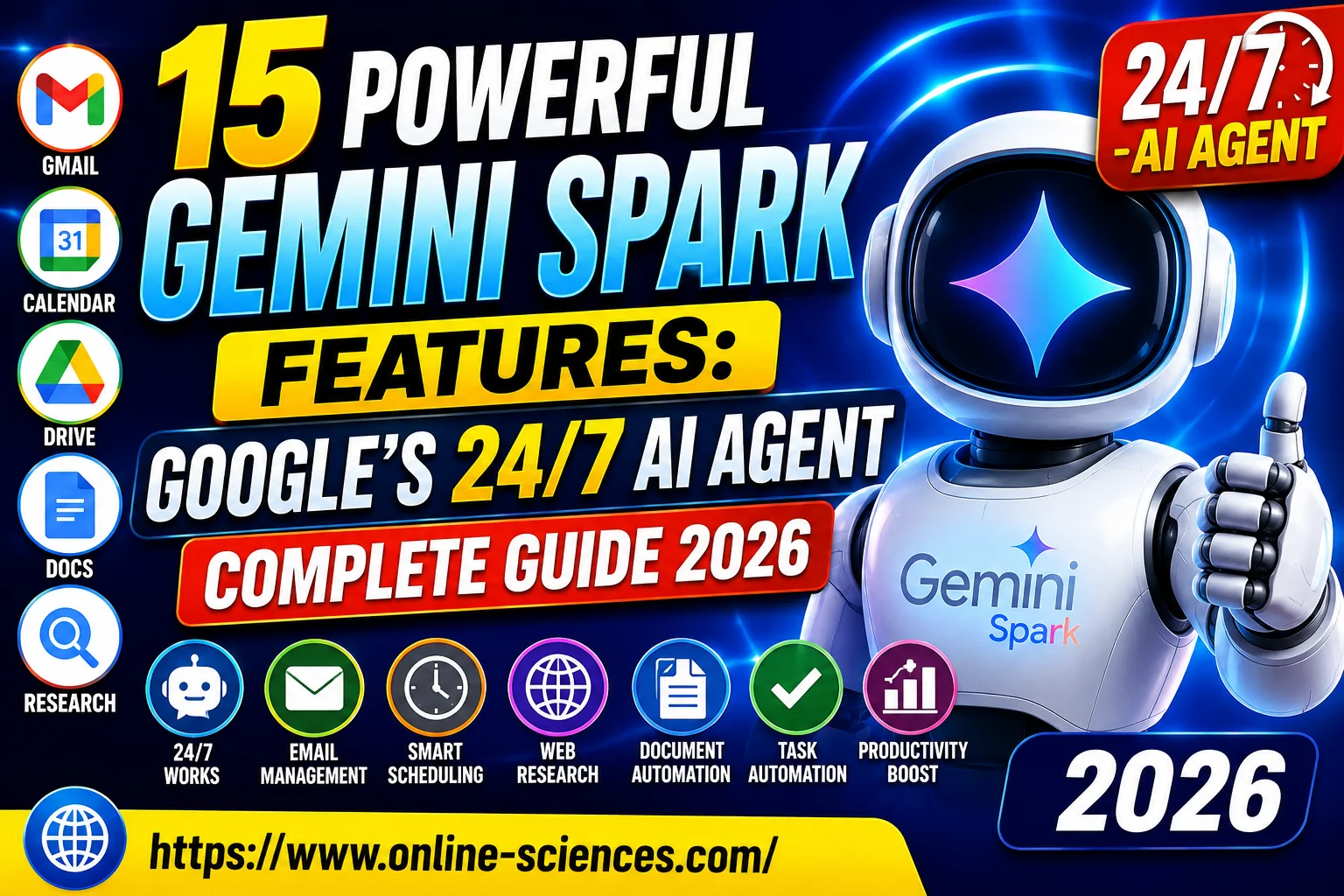
15 Powerful Gemini Spark Features: Google’s 24/7 AI Agent Complete Guide 2026
Gemini Spark is transforming AI from a simple chatbot into a proactive digital assistant that can run continuously in the background, automate complex workflows, manage communications, and help users save time by executing tasks intelligently across Google’s ecosystem.
Gemini Spark
Gemini Spark
Gemini Spark is Google’s newest and most ambitious AI product, designed to function as a true 24/7 personal AI agent rather than a traditional chatbot. Unlike standard AI assistants that wait for user commands, Gemini Spark can proactively manage tasks, monitor emails, organize schedules, conduct research, and automate workflows in the background—even when your laptop is closed or your phone is locked. Google unveiled Gemini Spark during Google I/O 2026 as a major step toward fully autonomous AI assistants.
The technology runs on dedicated cloud-based virtual machines, allowing it to continue working independently without relying on your device being powered on. This cloud-first architecture makes Gemini Spark one of the most advanced AI agents currently available.
What is Gemini Spark?
Gemini Spark is an always-on AI agent built into Google’s Gemini ecosystem. Instead of merely answering questions, it can execute tasks on your behalf across multiple applications and services. Google describes Spark as a personal AI agent that helps users navigate their digital lives while taking action under user supervision.
Some experts describe Gemini Spark as Google’s answer to the growing AI agent market, competing with advanced autonomous assistants from OpenAI, Anthropic, and other AI companies.
Gemini Spark Features
- Works 24/7: Unlike conventional AI assistants, Gemini Spark continues operating in the cloud around the clock. It can finish tasks while you’re sleeping, traveling, or offline.
- Gmail Management: Spark can organize emails, draft responses, prioritize important messages, summarize inbox activity, and archive unnecessary newsletters.
- Calendar Optimization: The AI can automatically manage appointments, suggest scheduling improvements, and prepare meeting summaries.
- Research Automation: Spark can browse websites, gather information, summarize findings, and generate reports.
- Task Planning: Users can assign complex, multi-step projects and allow Spark to coordinate activities across different Google services.
- Google Workspace Integration: Spark works deeply with Gmail, Google Docs, Google Drive, Google Calendar, and Google Slides.
- Third-Party App Support: Google is expanding Spark to work with services such as Canva, OpenTable, and Instacart through agent integrations.
What Can Gemini AI Agents Do?
Gemini AI agents can perform tasks that previously required constant user interaction.
Examples include:
- Managing inboxes.
- Scheduling meetings.
- Researching products.
- Planning vacations.
- Preparing reports.
- Creating presentations.
- Monitoring important news.
- Tracking projects.
- Drafting business documents.
- Coordinating workflows.
Unlike chatbots, AI agents actively perform actions rather than simply generating text.
Does Gemini Have Agent Mode?
Yes. Google has been expanding Gemini‘s agent capabilities through Agent Mode and Gemini Agent features. Agent Mode enables Gemini to execute multi-step tasks with user supervision and access connected applications. Gemini Spark represents the most advanced version of Google’s agent technology, extending those capabilities into a persistent 24/7 cloud-based assistant.
How to Access Gemini Spark
Currently, access remains limited.
Requirements:
- Google account.
- Eligible region (primarily the US during beta rollout).
- Google AI Ultra subscription.
- Latest Gemini app version.
According to reports, Google is initially rolling out Gemini Spark to AI Ultra subscribers before expanding availability.
Gemini Spark Tutorial for Beginners
- Step 1: Install the Gemini App: Download and update the Gemini application on your device.
- Step 2: Activate Spark: If your account has access, you’ll see the Spark option inside the Gemini interface.
- Step 3: Connect Services. Grant permissions to Gmail, Calendar, Drive, and Docs.
- Step 4: Create Tasks. Examples: “Organize my inbox.” “Prepare next week’s schedule.” “Research the best laptops under $1,000.”
- Step 5: Review Results. Spark provides updates and asks for approval when required.
- Step 6: Monitor Agent Activity. Users can review actions, modify permissions, and stop tasks at any time.
How to Use Gemini AI Step by Step
For Productivity
- Open Gemini.
- Select Spark.
- Assign a task.
- Define goals.
- Approve permissions.
- Let Spark work.
- Review completed actions.
For Research
- Ask a research question.
- Define the scope.
- Allow web access.
- Receive summaries and reports.
For Email Management
- Connect Gmail.
- Enable inbox organization.
- Review suggested actions.
- Approve responses.
Gemini Spark App
The Gemini Spark experience is integrated directly into the Gemini app rather than being distributed as a standalone application. Users can access Spark through Gemini‘s updated interface when their accounts are eligible.
Gemini Spark Beta
The platform is currently in beta and available to a limited group of users. Google continues testing autonomous workflows, third-party integrations, and advanced agent capabilities before broader release.
Gemini Spark Demo
Google demonstrated Spark at Google I/O 2026 using examples such as:
- Event planning.
- Travel organization.
- Email management.
- Automated document creation.
- Research tasks.
The demonstrations showcased Spark completing complex workflows with minimal human intervention.
Gemini Spark Reviews
Early reviews are generally positive, particularly regarding productivity and automation.
Strengths
- True 24/7 operation.
- Deep Google integration.
- Powerful task automation.
- Cloud-based execution.
- Excellent Workspace support.
Weaknesses
- Expensive subscription.
- Limited availability.
- Privacy concerns.
- Occasional mistakes.
- Requires supervision.
Several reviewers praised its usefulness while noting that it still requires user oversight for important actions.
Gemini Spark Reddit Discussions
Reddit users have highlighted several themes:
Positive Feedback
- Genuine AI agent behavior.
- Useful proactive assistance.
- Strong Gmail integration.
- Advanced automation.
Concerns
- Privacy implications.
- Potential autonomous purchases.
- Data permissions.
- Beta limitations.
Many Reddit users see Spark as a significant leap beyond traditional chatbots.
Gemini Spark Price
Current reports indicate that Gemini Spark is primarily available through Google’s AI Ultra subscription.
- Gemini Free: Limited Features.
- AI Plus: Around $9.99/month.
- AI Pro: Around $19.99/month.
- AI Ultra: Around $99/month.
Spark‘s full capabilities are currently associated with the AI Ultra tier. Pricing may change as Google expands availability.
Advantages of Gemini Spark
- Always-on cloud execution.
- Powerful automation.
- Deep Workspace integration.
- Multi-step task handling.
- Proactive assistance.
- Scalable cloud infrastructure.
Potential Drawbacks
- High subscription cost.
- Privacy concerns.
- Limited geographic availability.
- Beta-stage limitations.
- Occasional task inaccuracies.
Conclusion
Gemini Spark represents Google’s most powerful AI tool yet and may redefine how people interact with digital assistants. By combining advanced Gemini models with persistent cloud execution, Google has created an AI agent capable of working 24/7 on behalf of users. While the platform remains in beta and faces challenges related to privacy, pricing, and reliability, Gemini Spark is one of the most significant AI developments of 2026. For professionals, researchers, and productivity enthusiasts, it offers a glimpse into the future of autonomous AI assistance.
FAQ about Gemini Spark
1. What is Gemini Spark?
Gemini Spark is Google’s always-on AI agent that can perform tasks, manage workflows, and operate 24/7 through Google Cloud infrastructure.
2. How do I access Gemini Spark?
Access is currently limited to eligible users, primarily Google AI Ultra subscribers in supported regions.
3. What can Gemini Spark do?
It can manage emails, organize schedules, conduct research, automate workflows, and integrate with Google Workspace applications.
4. Does Gemini have Agent Mode?
Yes. Gemini includes Agent Mode for multi-step tasks, while Spark extends those capabilities with persistent 24/7 operation.
5. Is Gemini Spark free?
No. Full Spark access currently appears tied to Google’s premium AI Ultra subscription.
6. Is Gemini Spark better than ChatGPT?
It depends on your needs. Gemini Spark excels for Google Workspace users, while ChatGPT may offer broader platform compatibility and availability.
7. Can Gemini Spark make purchases?
Some reports suggest future versions may support purchasing workflows, though approvals and permissions are expected to play an important role.
8. Is Gemini Spark available worldwide?
Not yet. Availability remains limited during the beta rollout.
Gemini Spark vs ChatGPT Agent vs Claude
Gemini Spark vs ChatGPT Agent vs Claude feature comparison shows that Gemini Spark excels in Google Workspace automation, ChatGPT Agent leads in versatility and cross-platform task execution, while Claude stands out for advanced reasoning, long-context understanding, document analysis, and professional content creation.
Gemini Spark is designed to be a true 24/7 cloud-based AI agent that continues working even when the user is offline. Its biggest advantage is deep integration with Google’s ecosystem, including Gmail, Google Drive, Google Docs, Google Calendar, and other Workspace applications. Gemini Spark can monitor emails, organize schedules, conduct research, and automate workflows while running on Google’s cloud infrastructure. For users who rely heavily on Google services, Gemini Spark offers the most seamless experience and the strongest native integrations.
ChatGPT Agent focuses on versatility and broad automation capabilities across the web. It can browse websites, perform multi-step tasks, generate documents, analyze data, and interact with various online tools. ChatGPT Agent is generally more flexible than Gemini Spark because it is not tied to a single ecosystem. It excels at research, content creation, coding assistance, and business productivity tasks. Users who need an AI assistant that works across multiple platforms and services may find ChatGPT Agent more adaptable than Google’s solution.
Claude emphasizes reasoning, accuracy, and safety. Developed by Anthropic, Claude is known for handling long documents, complex analysis, and nuanced conversations exceptionally well. While Claude offers agentic capabilities and integrations, its primary strength remains high-quality reasoning and detailed document processing. Businesses and professionals often choose Claude when they need reliable analysis, summarization, and content generation rather than extensive task automation.
Gemini Spark is the strongest choice for users deeply invested in Google Workspace; ChatGPT Agent is often the most versatile option for general-purpose AI assistance and automation, while Claude stands out for deep reasoning, long-context understanding, and document analysis. The best option depends largely on whether your priority is ecosystem integration, flexibility, or advanced reasoning capabilities.
Gemini Spark vs ChatGPT Agent vs Claude: Feature Comparison
Gemini Spark vs ChatGPT Agent vs Claude is one of the most important AI comparisons of 2026, with Gemini Spark leading in Google ecosystem integration, ChatGPT Agent excelling in versatility and automation, and Claude standing out for advanced reasoning, document analysis, and professional research capabilities.
When comparing Gemini Spark, ChatGPT Agent, and Claude, one of the biggest differences is how they approach AI assistance. Gemini Spark is built as a persistent cloud-based AI agent that can continue working in the background 24/7. It is deeply integrated with Google services such as Gmail, Google Drive, Google Docs, and Google Calendar, making it ideal for users who rely heavily on the Google ecosystem. ChatGPT Agent is flexible and can perform a wide range of tasks across websites, applications, and workflows. Claude, on the other hand, prioritizes reasoning, accuracy, and handling large amounts of information, making it a favorite among researchers, analysts, and professionals.
In terms of task automation, Gemini Spark and ChatGPT Agent are currently among the most capable AI solutions. Gemini Spark can automate email management, scheduling, research, and document workflows within Google Workspace. ChatGPT Agent offers similar automation capabilities but across a broader range of online services and platforms. Claude provides some agentic functionality, but its primary strength lies in helping users think through complex problems rather than executing numerous automated actions.
For research and information gathering, all three platforms perform exceptionally well. ChatGPT Agent excels at conducting multi-step web research and producing detailed reports. Gemini Spark combines web research with seamless integration into Google’s productivity tools, allowing findings to be stored directly in Docs or Drive. Claude stands out for its ability to analyze lengthy documents, identify key insights, and provide thoughtful summaries with impressive contextual understanding.
When it comes to content creation, ChatGPT Agent and Claude are often considered leaders. ChatGPT Agent can generate articles, marketing content, emails, code, presentations, and creative writing with ease. Claude is known for producing highly coherent, nuanced, and professional-quality content, especially for long-form writing. Gemini Spark also performs well in content creation but focuses more on productivity workflows and integration with Google applications than on pure creative output.
For coding and technical assistance, ChatGPT Agent generally offers the broadest support for developers, including code generation, debugging, documentation, and software development guidance. Claude is highly capable in programming-related tasks and often excels at explaining complex concepts clearly. Gemini Spark supports coding tasks as well, but its primary focus remains productivity automation and enterprise workflows rather than software development.
Another important feature is document handling and context length. Claude is widely recognized for its ability to process and analyze extremely large documents while maintaining context throughout the conversation. ChatGPT Agent also handles large amounts of information effectively and can combine document analysis with web research and task execution. Gemini Spark is strong in document management within Google Workspace but is designed more for workflow automation than deep document analysis.
Regarding ecosystem integration, Gemini Spark has a significant advantage for users who already use Google services daily. It offers native access to Gmail, Calendar, Docs, Drive, and other Workspace tools. ChatGPT Agent provides broader cross-platform compatibility and can interact with many third-party applications. Claude supports integrations as well but is typically chosen for its reasoning and writing capabilities rather than its ecosystem connections.
Finally, in terms of overall user experience, Gemini Spark is best suited for Google Workspace users seeking an always-on AI assistant; ChatGPT Agent is ideal for those wanting a versatile AI capable of handling a wide variety of tasks across different platforms, and Claude is the preferred choice for users who prioritize deep reasoning, long-document analysis, and high-quality professional writing.
Which AI Agent Should You Choose?
If you spend most of your time using Google Workspace, Gmail, and Google Drive, Gemini Spark is likely the most convenient option. If you want a powerful all-around AI assistant capable of research, automation, coding, and content creation across many platforms, ChatGPT Agent is often the most flexible choice. If your work involves analyzing large documents, performing detailed research, or handling complex reasoning tasks, Claude remains one of the strongest AI assistants available in 2026.
Winner for Google Users
Gemini Spark is likely the strongest option for users heavily invested in Google’s ecosystem.
Gemini Takes Over: The End of Google Assistant in 2026! 🚀
You can follow science online on YouTube from this link: Science online
Will Gemini AI Replace Google Assistant? The Ultimate Guide to Google’s Powerful AI Upgrade 2026
Google Assistant Review 2026: Features, Pros, Cons and What It Can Do
Claude AI advantages, disadvantages, features and Is Claude better than GPT 4?
Claude Sonnet 4.5 features, advantages, disadvantages, Is Claude Sonnet 4 better than GPT 4?
Gemini AI review, advantages, disadvantages and Is Gemini AI better than ChatGPT?
ChatGPT review, features, advantages and disadvantages
Google Bard AI chatbot advantages, disadvantages, review, features and Bard vs ChatGPT
Artificial intelligence marketing (AI Marketing) importance, features & Chatbots
Applications of Artificial intelligence marketing, How ai is changing marketing & advertising
Benefits & application of Artificial intelligence in business, E-commerce and marketing
Applications of Artificial Intelligence (AI) in Banking and Finance