Gemini vs Microsoft Copilot: 15 Powerful Differences, Features, Speed & Best AI Assistant (2026)
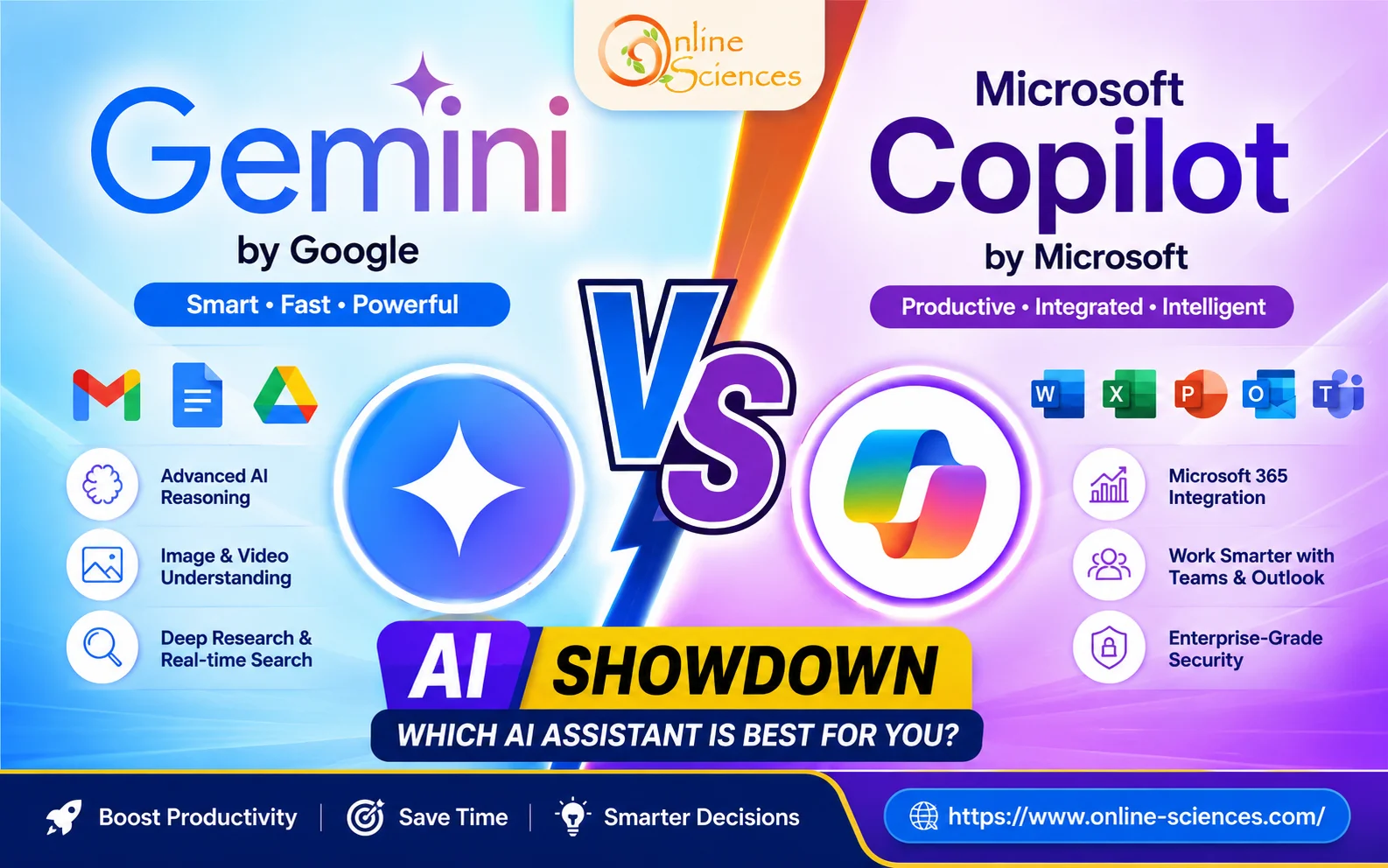
Gemini vs Microsoft Copilot is one of the most searched AI comparisons in 2026 because both assistants have evolved into powerful productivity tools. While Gemini excels with Google’s ecosystem, multimodal AI, and research capabilities, Microsoft Copilot is deeply integrated with Windows, Microsoft 365, and enterprise workflows. Choosing the right assistant depends on your daily tasks, preferred ecosystem, and productivity needs.
Gemini vs Microsoft Copilot
Gemini vs Microsoft Copilot Overview
Artificial intelligence assistants have become essential for work, education, programming, research, and creativity. Google’s Gemini and Microsoft’s Copilot both rely on advanced large language models, but they focus on different ecosystems.
Gemini is designed around Google’s services, including Gmail, Google Docs, Drive, Maps, YouTube, and Android. Microsoft Copilot focuses on Microsoft 365, Windows, Teams, Outlook, Excel, Word, PowerPoint, and Azure AI services.
What is Google Gemini?
Google Gemini is Google’s flagship AI assistant that combines text, image, video, coding, reasoning, and voice capabilities into one intelligent platform.
Main features
- Advanced reasoning.
- Image understanding.
- AI image generation.
- Video understanding.
- Long-context processing.
- Deep Research mode.
- Gmail integration.
- Google Docs integration.
- Google Sheets support.
- Android AI assistant.
- Chrome integration.
What is Microsoft Copilot?
Microsoft Copilot is Microsoft’s AI assistant powered by advanced OpenAI models and Microsoft’s AI technologies. It is designed to improve productivity across Windows and Microsoft 365 applications.
Main features
- Word writing assistant.
- Excel data analysis.
- PowerPoint presentation generation.
- Outlook email drafting.
- Teams meeting summaries.
- Windows AI assistant.
- GitHub Copilot integration.
- Enterprise security.
- Business workflow automation.
Gemini vs Microsoft Copilot: Feature Comparison
Gemini vs Microsoft Copilot is a comparison between two of the most advanced AI assistants available today. Gemini is developed by Google and is designed to work seamlessly with Google services such as Gmail, Google Docs, Google Drive, Android, and Google Search. Microsoft Copilot, on the other hand, is developed by Microsoft and is deeply integrated with Windows, Microsoft 365, Outlook, Word, Excel, PowerPoint, and Teams, making it an excellent productivity tool for professionals.
When it comes to research and learning, Gemini has the advantage thanks to its advanced reasoning capabilities, long-context understanding, and powerful integration with Google Search. It provides detailed explanations, summarizes complex topics, and is particularly useful for students, researchers, educators, and content creators who need accurate and comprehensive information.
For workplace productivity, Microsoft Copilot stands out because it can draft emails in Outlook, analyze data in Excel, create presentations in PowerPoint, generate reports in Word, and summarize meetings in Microsoft Teams. These integrations make it especially valuable for businesses and enterprise environments that rely on Microsoft 365 every day.
Both AI assistants perform exceptionally well in coding. Gemini offers excellent code generation, debugging, and explanations across multiple programming languages, while Microsoft Copilot provides a smoother experience for developers through GitHub Copilot and Visual Studio Code integration, enabling faster code completion and software development workflows.
In terms of creativity, Gemini generally excels at writing articles, blog posts, educational content, and SEO-friendly copy. Microsoft Copilot focuses more on producing professional business documents, reports, presentations, and workplace communications with a polished and structured style.
Overall, Gemini is the better choice for users who prioritize research, education, creativity, and the Google ecosystem, while Microsoft Copilot is ideal for professionals, organizations, and Windows users who depend on Microsoft 365 applications for their daily work. Both platforms continue to evolve rapidly, offering powerful AI capabilities that significantly improve productivity and efficiency.
User Interface
Gemini provides a clean, minimal interface that feels natural for conversational AI. Microsoft Copilot offers a professional workspace with quick access to Microsoft applications, making it ideal for office environments.
Performance
Gemini performs exceptionally well in:
- Scientific explanations.
- Research.
- Creative writing.
- Long conversations.
- Coding.
- Image analysis.
Microsoft Copilot excels in:
- Business productivity.
- Office automation.
- Spreadsheet analysis.
- Professional documentation.
- Enterprise collaboration.
Coding Performance
Both AI assistants are excellent coding companions.
Gemini
- Python.
- Java.
- JavaScript.
- C++.
- HTML.
- CSS.
- SQL.
- Debugging.
- Code explanations.
Microsoft Copilot
- GitHub integration.
- Visual Studio Code.
- Enterprise development.
- Intelligent code completion.
- Software documentation.
- Bug fixing.
Developers already using GitHub often prefer Microsoft Copilot for seamless coding assistance.
Writing Capabilities
Gemini is stronger for:
- Blog articles.
- SEO content.
- Creative writing.
- Storytelling.
- Educational content.
- Research summaries.
Microsoft Copilot is better for:
- Business emails.
- Reports.
- Office documents.
- Professional presentations.
- Corporate communication.
Research and Learning
Gemini is particularly effective for:
- Academic research.
- Science topics.
- Mathematics.
- Educational explanations.
- Complex reasoning.
- Step-by-step learning.
Copilot performs well but is primarily optimized for workplace productivity rather than educational depth.
Image Understanding
- Both assistants can analyze uploaded images.
- Gemini generally provides richer explanations for charts, diagrams, handwritten notes, scientific images, and educational content.
- Microsoft Copilot focuses more on productivity-related image analysis.
Productivity
Gemini integrates naturally with:
- Gmail.
- Google Calendar.
- Google Drive.
- Google Docs.
- Google Meet.
Microsoft Copilot integrates with:
- Word.
- Excel.
- PowerPoint.
- Outlook.
- Teams.
- OneNote.
- SharePoint.
Security
Both platforms offer:
- Secure cloud infrastructure.
- Data encryption.
- Enterprise protection.
- Permission controls.
- Privacy settings.
Microsoft has a slight advantage in enterprise compliance and corporate governance.
Advantages of Gemini
- Excellent research capabilities.
- Superior multimodal AI.
- Strong educational support.
- Powerful coding assistance.
- Android integration.
- Google Workspace connectivity.
- Long-context reasoning.
- Fast responses.
Advantages of Microsoft Copilot
- Outstanding Microsoft 365 integration.
- Windows AI features.
- Professional productivity tools.
- Excel automation.
- Enterprise-grade security.
- Teams collaboration.
- GitHub Copilot ecosystem.
Disadvantages of Gemini
- Limited Microsoft Office integration.
- Some advanced features require a subscription.
- Business workflow automation is less comprehensive than Copilot.
Disadvantages of Microsoft Copilot
- The best experience requires Microsoft 365.
- Less optimized for Google’s ecosystem.
- Educational explanations can be less detailed than Gemini.
Who Should Choose Gemini?
Gemini is ideal for:
- Students.
- Researchers.
- Teachers.
- Bloggers.
- Content creators.
- Android users.
- Scientists.
- SEO specialists.
- Programmers.
Who Should Choose Microsoft Copilot?
Microsoft Copilot is ideal for:
- Office professionals.
- Businesses.
- Enterprise users.
- Financial analysts.
- Project managers.
- Windows users.
- Microsoft 365 subscribers.
- Corporate teams.
Future of AI Assistants
AI assistants are becoming more autonomous, capable of handling complex workflows, managing schedules, conducting research, generating presentations, and assisting with coding. Gemini and Microsoft Copilot continue to add smarter reasoning, multimodal interactions, and deeper integration with their ecosystems, making them increasingly valuable for both personal and professional use.
Frequently Asked Questions (FAQ) about Gemini vs Microsoft Copilot
1. Which is better, Gemini or Microsoft Copilot?
Gemini is generally better for research, education, creative writing, SEO, and Google’s ecosystem, while Microsoft Copilot is the stronger choice for Microsoft 365 productivity, Windows integration, and enterprise workflows.
2. Is Gemini free?
Yes. Gemini offers a free version with optional premium plans that unlock advanced AI models, larger context windows, and additional features.
3. Does Microsoft Copilot require Microsoft 365?
Many Copilot features work without Microsoft 365, but the full productivity experience—including AI inside Word, Excel, Outlook, and PowerPoint—requires eligible Microsoft 365 plans.
4. Which AI is best for coding?
Both are excellent. Gemini offers strong code generation and explanations, while Microsoft Copilot shines with GitHub and Visual Studio integration for professional developers.
5. Which AI is better for students?
Gemini is generally better for students due to its detailed explanations, research capabilities, mathematical reasoning, and educational tools.
6. Which AI is better for businesses?
Microsoft Copilot is often the better choice for businesses that rely on Microsoft 365, Teams, Outlook, and enterprise collaboration.
7. Can Gemini and Microsoft Copilot generate images?
Yes. Both support AI image generation and image understanding, although the available tools and quality may differ depending on the subscription plan.
8. Which AI is better for SEO content?
Gemini is widely preferred for creating SEO-friendly articles, keyword optimization, and long-form content with natural language.
Gemini vs Microsoft Copilot: Which is the winner?
When comparing Gemini vs Microsoft Copilot, each AI assistant has unique strengths designed for different types of users. Gemini is the stronger option for research, scientific learning, creative writing, SEO content creation, long-context understanding, image analysis, Google Workspace integration, and Android devices. Microsoft Copilot, on the other hand, excels in business productivity, Microsoft Office applications, Windows integration, GitHub-powered coding workflows, Excel data analysis, and enterprise-level security.
For research and scientific learning, Gemini is the clear winner. Its advanced reasoning capabilities and access to Google’s ecosystem enable it to provide detailed explanations, summarize complex topics, and assist students, educators, and researchers with high-quality information. This makes Gemini particularly valuable for academic work and technical subjects.
Gemini also outperforms Microsoft Copilot in creative writing and SEO content creation. It produces engaging blog posts, articles, marketing copy, and educational content while naturally incorporating keywords and maintaining readability. Content creators, bloggers, and digital marketers often prefer Gemini for generating long-form, search-engine-optimized content.
In the area of coding, both AI assistants deliver excellent performance, making this category a tie. Gemini offers strong code generation, debugging, and explanations across multiple programming languages, while Microsoft Copilot provides intelligent code completion and seamless integration with GitHub and Visual Studio Code, making it a favorite among professional software developers.
Microsoft Copilot takes the lead in GitHub integration, offering developers an efficient coding assistant that speeds up software development through real-time code suggestions, documentation support, and automated code generation. It is especially beneficial for teams working on collaborative software projects.
When it comes to Windows integration and Microsoft Office, Microsoft Copilot is the superior choice. It works directly within Word, Excel, PowerPoint, Outlook, Teams, and Windows, allowing users to draft documents, analyze spreadsheets, create presentations, summarize meetings, and manage emails without leaving their workflow.
Gemini dominates in Google Workspace integration, providing seamless AI assistance across Gmail, Google Docs, Google Sheets, Google Drive, and Google Meet. Android users also benefit from Gemini‘s native integration, making it a better AI assistant for those invested in Google’s ecosystem.
For Excel analysis and business productivity, Microsoft Copilot has a clear advantage. It can generate formulas, analyze large datasets, build financial reports, create charts, and automate repetitive tasks, making it an indispensable tool for professionals, analysts, and organizations using Microsoft 365.
Gemini stands out in long-context understanding, enabling it to process lengthy documents and maintain context throughout extended conversations. This capability is particularly useful for researchers, students, and professionals handling complex projects or detailed reports.
In image analysis, Gemini offers more comprehensive explanations of photos, diagrams, charts, handwritten notes, and scientific illustrations. Its multimodal AI capabilities make it especially effective for educational and research purposes.
Microsoft Copilot excels in enterprise security, providing advanced compliance, data protection, identity management, and secure collaboration features. These enterprise-grade capabilities make it an excellent choice for organizations that prioritize security and regulatory compliance.
Overall, Gemini is the more versatile AI assistant thanks to its exceptional research abilities, creative writing, SEO optimization, educational support, multimodal intelligence, and integration with Google’s ecosystem. Meanwhile, Microsoft Copilot remains the best option for business professionals and enterprise users who rely on Windows, Microsoft 365, and productivity-focused workflows. The ideal choice ultimately depends on whether your priority is creativity and learning or workplace efficiency and collaboration.
You can follow science online on YouTube from this link: Science online
Gemini Takes Over: The End of Google Assistant in 2026! 🚀
Goodbye Google Assistant: Can Your Android Phone Actually Run Gemini? 🚀
Goodbye Google Assistant? 10 Powerful Reasons Gemini AI Is the Future in 2026
Will Gemini AI Replace Google Assistant? The Ultimate Guide to Google’s Powerful AI Upgrade 2026
Google Assistant Review 2026: Features, Pros, Cons and What It Can Do
Claude AI advantages, disadvantages, features and Is Claude better than GPT 4?
Claude Sonnet 4.5 features, advantages, disadvantages, Is Claude Sonnet 4 better than GPT 4?
Gemini AI review, advantages, disadvantages and Is Gemini AI better than ChatGPT?
ChatGPT review, features, advantages and disadvantages
Google Bard AI chatbot advantages, disadvantages, review, features and Bard vs ChatGPT
Artificial intelligence marketing (AI Marketing) importance, features & Chatbots
Applications of Artificial intelligence marketing, How ai is changing marketing & advertising
Benefits & application of Artificial intelligence in business, E-commerce and marketing
Applications of Artificial Intelligence (AI) in Banking and Finance
Online marketing uses, advantages and disadvantages