
WiFi technology: 7 Powerful Facts About Its Importance, Risks, Types and Uses
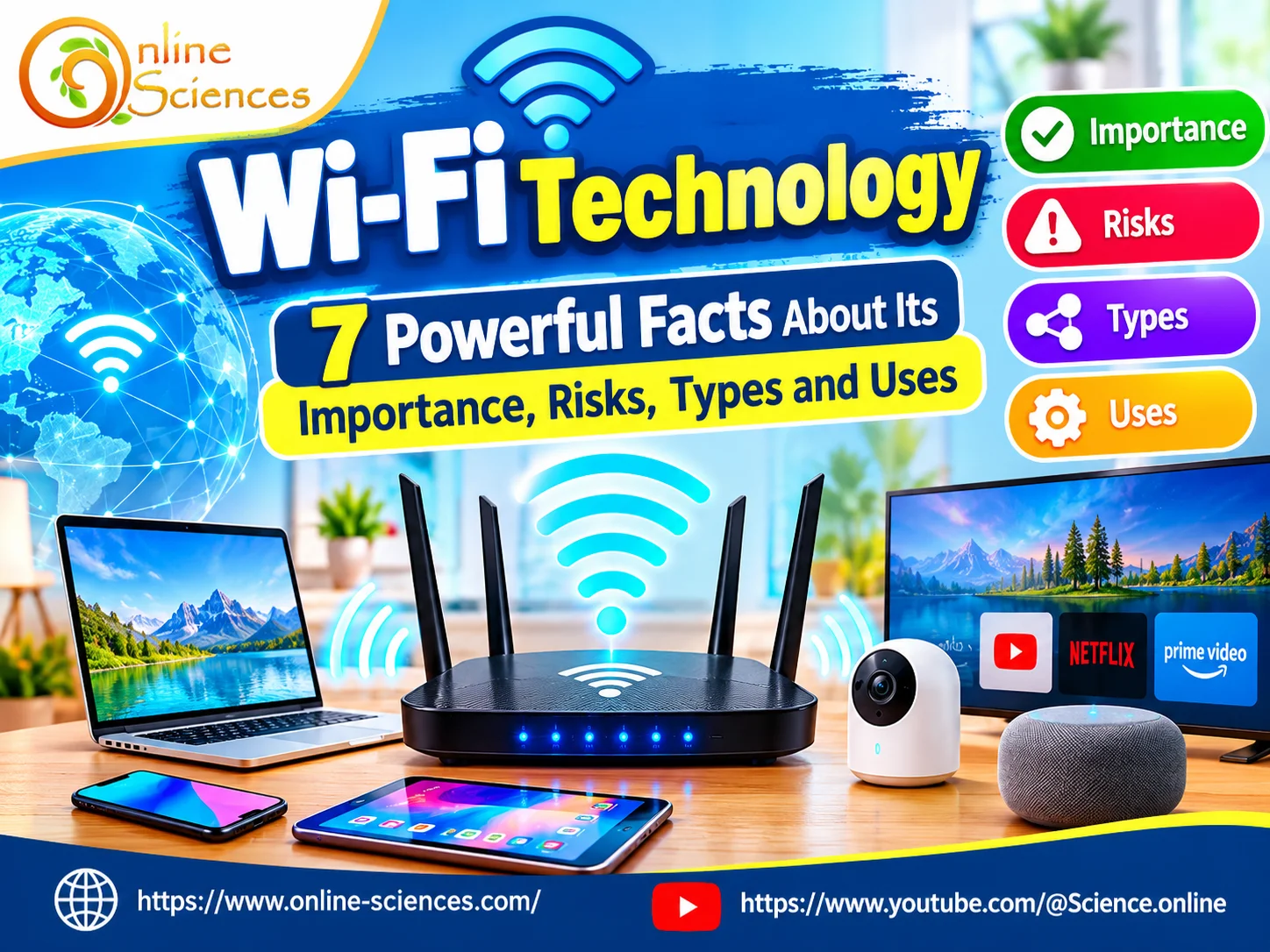
WiFi technology has become an essential part of modern life, connecting smartphones, computers, smart TVs, security cameras, and countless other devices to the internet without physical cables. It supports communication, education, business, entertainment, and smart homes. However, understanding the importance, types, uses, and potential risks of Wi-Fi technology can help users enjoy faster, more reliable, and safer wireless connections.
Wi-Fi Technology
Wi-Fi
Wi-Fi is a wireless LAN. It is one of the important technologies of computer networking. It allows users to connect to the internet technology without wires, It allows the router to be cordless also, The network is connected through an access point for the internet and it is connected to a USB Port.
WiFi technology
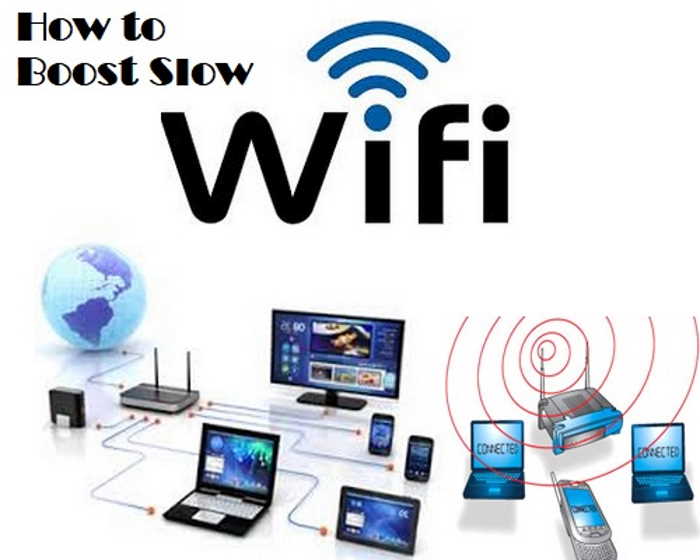
Wi-Fi is a wireless technology used to connect computers, tablets, smartphones, and other devices to the internet. It is the radio signal sent from a wireless router to a nearby device, which translates the signal into data you can see and use. The device transmits a radio signal back to the router, which connects to the internet by wire or cable.
Wi-Fi is used for different purposes such as data transmission and wireless communication. Using a Wi-Fi connection whenever possible will most often result in faster, more reliable internet access, and it is cheap. Wi-Fi allows wireless connection for up to 20 meters, It is also known as Internet Routers, You no longer need cords or internet connections, and it is cordless.
Wi-Fi is a mode of wireless technology that uses radio waves for its data transmission. It is easy to install and use. Many companies place wireless LAN cards on their desktops before selling them to their customers. A Wi-Fi network is established by installing a Wi-Fi AP (Access Point) or wifi router. The wifi router or AP is connected to the internet using a physical or wired Ethernet cable or fiber optic cable, and WiFi stands for Wireless Fidelity.
Wi-Fi technology
Wi-Fi is used for free at restaurants or coffee houses. It sends out Data to LAN and WAN networks, and these networks allow any connection without using cords. You can take your laptop wherever you want with the option of having a wireless connection with the help of routers and adapters.
Hot spots are connected through Wi-Fi. Cell phone companies are supported by GSM, which allows people to always stay connected through Wi-Fi, so it can be used for emergencies.
Wi-Fi is already connecting the Internet to every application that consumers want today. It is enabled for thermostats, light bulbs, home security, monitoring and control systems, appliances, and automotive products.
Wi-Fi is a single technology that can help make all connections seamless. Wi-Fi applications with practical uses will have success. It has industry-standard security protections that consumers can rely on.
Wi-Fi networks use WPA2™, which provides both security (you can control who connects) and privacy (the transmissions can’t be read by others) for communications as they travel across your network, and for maximum security, your network should include only devices with the latest security technology.
WiFi network allows connection between two or more devices wirelessly for data sharing purposes. It is a simple and cost-effective way to connect with a wifi router or with other wifi devices wirelessly without the need for wires. A WiFi network uses radio frequency for its operation in the 2.4 GHz or 5.8 GHz bands. It is based on WLAN as defined in the IEEE 802.11 series standards.
Types of Wi-Fi connections
Wireline/router: Most homes use a wireless router to access the internet these days. It offers the convenience of setup and mobility within range of the Wi-Fi access point (router), and it can connect multiple devices, but it has limited bandwidth.
Mobile hotspot or jetpack: Mobile hotspots have become a more popular way of connecting safely on the go. Two common hotspot devices are your smartphone and a jetpack. Most smartphones or tablets can be used as a temporary hotspot and are a great option if you occasionally need it.
LTE Home Internet: When you live in a rural area where your internet options are limited, 4G LTE Home Internet is worth considering. It offers high-speed internet service delivered over cell phone towers and mobile networks. The pros of LTE over satellite are better speeds and reliability depending on your carrier.
5G Home Internet: 5G Home Internet is Fixed Wireless Access. It is available in more places around the country, and even with multiple devices connected, it’s reliable and fast enough to power your whole home. Fixed wireless access has a simple plug-and-play setup, which means there are no messy wires and no need to wait for a technician to come to your home for setup.
Advantages of Wi-Fi
You can add or move wifi clients or wifi stations to the wifi network created by the AP (Access Point). Installation is very easy. It does not require technical knowledge of wifi or WLAN systems and their protocols. Access to the wifi network can be availed from anywhere within the wifi AP (Access Point) coverage range. WiFi-enabled USB dongles are available at very affordable rates.
The latest wifi standard versions such as 11n and 11ac deliver fast data connection rates, e.g., 300 Mbps and higher. It is easy to integrate wifi in mobile computing devices; it is used by millions of people using various devices such as PCs, laptops, PDAs, Printers, Cameras, Games, MP3 players, smartphones, etc.
Wi-Fi provides a convenient and cost-effective way to connect to the internet wirelessly. Wi-Fi lets you connect to the internet from almost anywhere within the network’s range, giving you freedom of movement and eliminating the hassle of cables.
Setting up a Wi-Fi network is cheaper than installing wired connections for all your devices. Wi-Fi doesn’t require complex installations. You won’t need to spend money on extensive cables, and most devices nowadays come Wi-Fi-ready.
Wi-Fi eliminates the need for pesky cables, allowing you to connect to the internet from any spot within the network’s range. This makes it perfect for mobile devices like laptops, tablets, and smartphones and provides more freedom for setting up devices in your home or office.
Public Wi-Fi is widely available in many places like coffee shops, libraries, restaurants, and airports, providing convenient internet access on the go. Setting up a Wi-Fi network is cheaper than installing wired connections for every device. You just need a router and a subscription to an internet service provider (ISP).
Wi-Fi networks are relatively easy to set up, especially with modern routers that have user-friendly interfaces at home. Adding new devices to an existing Wi-Fi network is usually straightforward.
Disadvantages of Wi-Fi
The data transfer rate reduces (for individual computers) when the number of clients or computers connected to a Wi-Fi network increases. Full security is difficult to achieve due to the wifi connection being wireless. It requires proper security authentication protocols and configurations. Wi-Fi devices can operate in full functionality and without any interruptions when they are within the range of the AP and receiving good signal strength.
In case the Wi-Fi connection does not work, minimal troubleshooting is needed. This requires one to understand the basics of the wifi device from the user manual provided by the manufacturer. Before using the wifi device, you need to install software from the CD provided by the manufacturer on the desktop or laptop.
Since Wi-Fi signals are transmitted wirelessly, they can be intercepted by unauthorized users if proper security measures aren’t taken, making your devices vulnerable to hacking and less secure than wired connections. Hackers can intercept data if the network isn’t properly secured with strong passwords and encryption protocols to protect your network.
The strength of a Wi-Fi signal weakens as you move farther away from the router or access point, potentially leading to slow speeds or dropped connections. Walls and other obstacles can also interfere with the signal. This can lead to slower speeds or dropped connections in areas far from the router.
Wi-Fi speeds can be slower than wired Ethernet connections, especially when multiple devices are using the network at the same time or if there’s interference. While Wi-Fi speeds have improved significantly, wired connections offer faster and more stable internet compared to Wi-Fi.
Wi-Fi signals can be affected by interference from other electronic devices or crowded Wi-Fi networks in the area, causing connection slowdowns. Wi-Fi connections can be unreliable, with signal dropouts or slowdowns depending on various factors like network congestion or interference from other devices.
What is Wi-Fi Technology?
Wi-Fi is a wireless networking technology that allows electronic devices to exchange data and connect to local networks and the internet through radio waves. It usually uses a wireless router or access point to communicate with connected devices without requiring Ethernet cables.
Wi-Fi operates mainly in the 2.4 GHz, 5 GHz, and 6 GHz frequency bands, depending on the equipment and supported standards. These frequencies provide different combinations of coverage, speed, and resistance to interference. Wi-Fi is based on the IEEE 802.11 family of wireless networking standards, which continues to evolve to improve performance, efficiency, and security.
Unlike mobile networks, Wi-Fi typically connects devices through a local wireless network that uses an internet connection supplied by a service provider. It is widely available in homes, offices, schools, hospitals, hotels, airports, and public spaces.
1. Importance of Wi-Fi Technology
The importance of Wi-Fi technology comes from its ability to provide convenient internet access without physical network cables. Users can move around their homes, offices, and other connected environments while remaining connected to online services.
Wi-Fi supports online education, video conferencing, remote work, digital banking, cloud storage, and instant communication. Students can attend virtual classes, access educational resources, and collaborate on projects, while businesses can connect employees, printers, computers, and other equipment through wireless networks.
Wi-Fi is also essential for the Internet of Things (IoT), allowing smart devices to communicate with applications and other network equipment. Smart lighting, connected appliances, voice assistants, and security systems can use Wi-Fi to provide remote monitoring and automation.
Another major advantage is cost-effectiveness. A single wireless router can serve multiple devices, reducing the need for extensive network cabling. Modern Wi-Fi standards can also deliver high data rates that support demanding applications, including high-definition streaming, online gaming, and large file transfers.
2. Main Types of Wi-Fi Technology
Wi-Fi technology has developed through several generations, each offering improvements in speed, efficiency, or network capacity.
- Wi-Fi 4 (802.11n): Supports 2.4 GHz and 5 GHz and introduced technologies that improved wireless performance and coverage.
- Wi-Fi 5 (802.11ac): Operates primarily in the 5 GHz band and provides higher speeds and better performance for multiple connected devices.
- Wi-Fi 6 (802.11ax): Improves network efficiency, especially in crowded environments, and supports better performance when many devices connect simultaneously.
- Wi-Fi 6E: Extends compatible Wi-Fi 6 equipment into the 6 GHz band, where permitted by local regulations.
- Wi-Fi 7 (802.11be): Introduces advanced capabilities, including wider channels and Multi-Link Operation, to improve throughput, responsiveness, and reliability on compatible equipment.
Wi-Fi networks also differ by frequency band. The 2.4 GHz band generally provides broader coverage but is more susceptible to interference. The 5 GHz band often provides higher speeds over shorter distances, while 6 GHz can offer additional capacity and less congestion where available.
3. Common Uses of Wi-Fi Technology
Wi-Fi technology is used in many areas of everyday life.
- Homes: Families use Wi-Fi to connect phones, laptops, smart televisions, gaming consoles, and smart-home devices.
- Education: Schools and universities use wireless networks for digital classrooms, online examinations, research, and educational platforms.
- Business: Offices rely on Wi-Fi for collaboration tools, cloud applications, wireless printing, and employee communication.
- Healthcare: Hospitals and clinics can use Wi-Fi to support authorized medical devices, electronic records, and communication systems, subject to appropriate security and reliability requirements.
- Entertainment: Wi-Fi enables video streaming, music services, online gaming, and wireless speakers.
- Public services: Hotels, libraries, airports, and cafes offer visitors wireless internet access. Public Wi-Fi is convenient, but users should take precautions when accessing sensitive information.
4. Risks and Disadvantages of Wi-Fi Technology
Despite its advantages, Wi-Fi technology has several potential risks.
- Cybersecurity threats: Weak passwords, outdated router software, and insecure configurations can allow unauthorized users to access a network. Attackers may attempt to steal information, distribute malware, or exploit vulnerable connected devices.
- Privacy risks: On poorly secured or malicious networks, attackers may try to intercept unencrypted communications or redirect users to fraudulent websites. HTTPS helps protect data exchanged with websites, but it does not eliminate every privacy risk.
- Signal interference: Wi-Fi performance can be affected by neighboring networks, walls, electronic equipment, and physical distance. Congested networks may experience slower speeds and unstable connections.
- Limited coverage: Wireless signals weaken with distance and obstacles. Large buildings may require additional access points or a mesh Wi-Fi system.
- Dependence on electricity and internet service: A router generally needs power, and Wi-Fi does not provide internet access if the underlying broadband connection is unavailable.
5. Is Wi-Fi Safe for Human Health?
Wi-Fi devices use radiofrequency electromagnetic fields, which are non-ionizing radiation. This type of radiation does not have enough energy to directly break chemical bonds in the way that ionizing radiation, such as X-rays, can.
Wi-Fi equipment generally operates at low power levels. Based on current scientific assessments, exposure from compliant Wi-Fi devices under normal conditions has not been established as a cause of adverse health effects. Exposure limits and equipment regulations are designed to protect public health.
People who are concerned can follow device manufacturers’ instructions and applicable safety guidance. It is important to distinguish established scientific evidence from unsupported claims about Wi-Fi radiation.
6. How to Make Wi-Fi Faster and Safer
Users can improve Wi-Fi performance and security by following several practical steps:
- Place the router in a central, elevated, and unobstructed location.
- Use WPA3 security when supported, or WPA2-AES if WPA3 is unavailable.
- Create a strong, unique Wi-Fi password and change default router administrator credentials.
- Update router firmware regularly to address security vulnerabilities.
- Choose the appropriate frequency band and Wi-Fi channel to reduce interference.
- Use a guest network for visitors and isolate smart-home devices when supported.
- Consider a mesh system or additional access points for large homes and buildings.
Avoid entering sensitive information on suspicious public Wi-Fi networks, and use a trusted VPN when appropriate.
7. The Future of Wi-Fi Technology
The future of Wi-Fi technology will focus on higher performance, lower latency, improved efficiency, and more reliable connections for increasingly crowded environments. Wi-Fi 7 expands the capabilities of wireless networks, while future generations are expected to continue improving how devices share available spectrum.
These developments will support smart cities, connected industries, augmented and virtual reality, cloud gaming, artificial intelligence applications, and more advanced Internet of Things systems. However, actual performance will depend on compatible devices, network design, available spectrum, and internet service quality.
Conclusion
Wi-Fi technology is a fundamental part of modern digital communication. It enables wireless internet access, supports smart devices, improves productivity, and makes online services more accessible. At the same time, users should understand its limitations, including interference, coverage problems, and cybersecurity threats. By choosing suitable equipment, using modern security settings, and maintaining their networks, individuals and organizations can benefit from Wi-Fi technology more safely and effectively.
Frequently Asked Questions (FAQ)
1. What is Wi-Fi technology used for?
Wi-Fi connects devices wirelessly to local networks and the internet. It supports browsing, video streaming, online education, remote work, gaming, and smart-home applications.
2. What are the main types of Wi-Fi?
Common generations include Wi-Fi 4, Wi-Fi 5, Wi-Fi 6, Wi-Fi 6E, and Wi-Fi 7. They differ in performance, supported frequency bands, efficiency, and available features.
3. What are the main advantages of Wi-Fi?
The main advantages are wireless convenience, mobility, easy device connectivity, reduced cabling requirements, and support for multiple connected devices.
4. What are the risks of Wi-Fi technology?
Potential risks include unauthorized network access, data interception on insecure networks, privacy concerns, signal interference, and weak or unreliable coverage.
5. Is Wi-Fi radiation dangerous?
Wi-Fi uses non-ionizing radiofrequency radiation. Current scientific assessments have not established adverse health effects from exposure to compliant Wi-Fi devices under normal operating conditions.
6. Which Wi-Fi frequency is best?
The 2.4 GHz band is generally useful for wider coverage, 5 GHz often provides a balance of speed and coverage, and 6 GHz can offer more capacity at shorter ranges where available.
7. How can I protect my Wi-Fi network?
Use WPA3 or WPA2-AES, create strong passwords, update router firmware, disable unnecessary features, and establish a separate guest network when possible.
8. What is the difference between Wi-Fi and the internet?
Wi-Fi is a wireless networking method that connects devices to a local network. The internet is the global network of interconnected systems and services. Wi-Fi can work locally even when the internet connection is unavailable.
Explore more AI innovations and emerging technologies on Science Online
and subscribe to the Science Online YouTube channel
What is a MiFi?, Portable Wi-Fi hotspot, Mi-Fi devices advantages and disadvantages
Wi-Fi health dangers and the radiation health effects of routers at home
Mobile Wi-Fi Hotspot features, types, uses, and advantages
Wi-Fi Direct uses, advantages, and disadvantages







Good